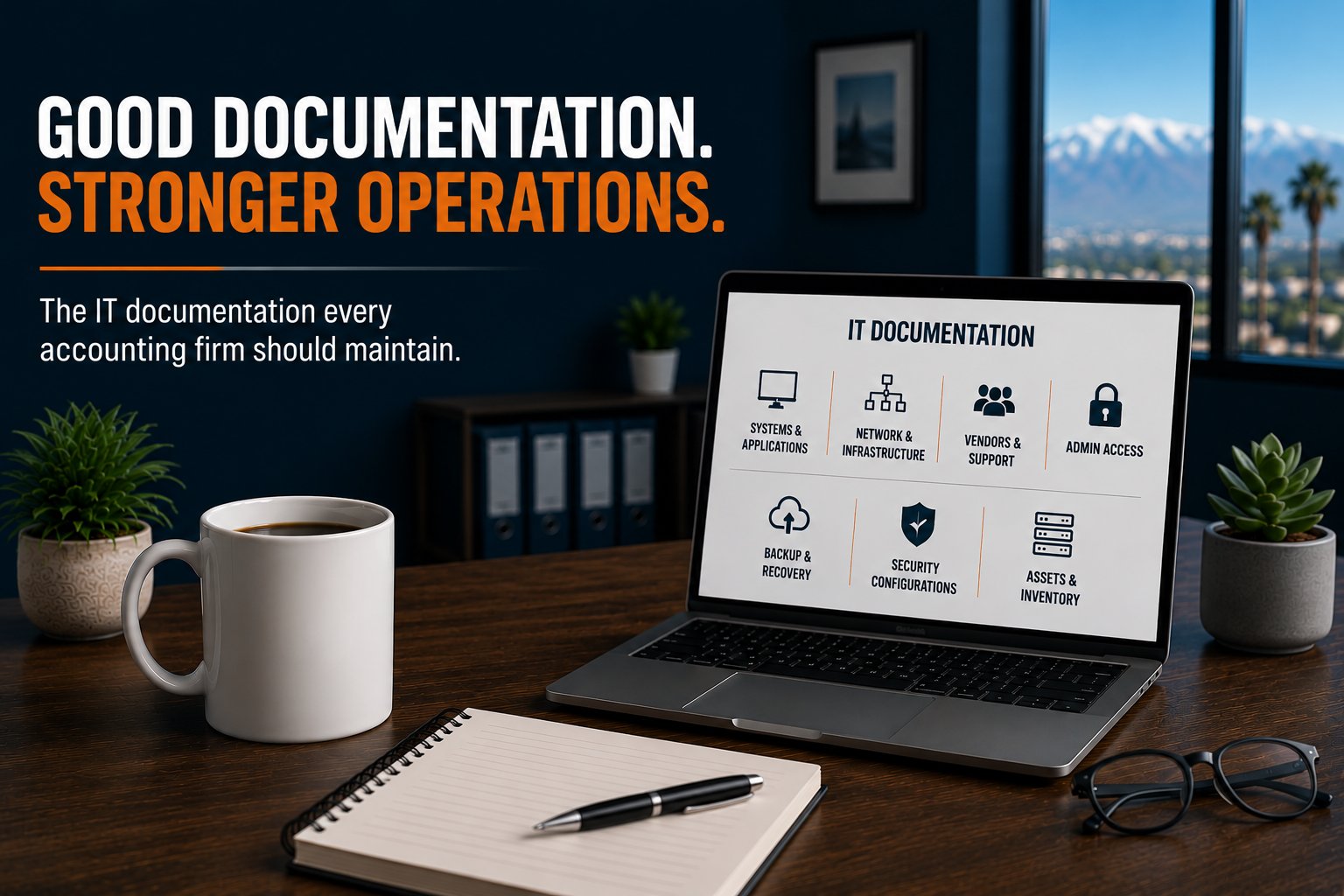
An accounting firm should maintain current documentation for at least seven areas of its technology environment: systems and applications, network infrastructure, vendors, administrative access, backup and recovery procedures, security configurations, and technology assets.
For a 5 to 25 employee accounting firm, the objective is not to create hundreds of pages of technical documentation. The objective is to make sure critical information can be found when it is needed, especially during an outage, cybersecurity incident, employee transition, vendor change, or tax-season emergency.
Good IT documentation should answer three basic questions:
What technology do we depend on? Who is responsible for it? What information would we need if something went wrong?
If those answers exist primarily in one person's memory, the firm has an operational risk.
Why IT Documentation Matters to an Accounting Firm
Technology environments accumulate knowledge over time.
Someone knows why a particular firewall rule exists. Someone knows which vendor supports the tax application. Someone remembers where a server warranty was purchased. Someone knows which account has administrative access to Microsoft 365. Someone knows how a critical application is restored.
The problem occurs when "someone knows" becomes the firm's documentation strategy.
People take vacations. Employees leave. Vendors change. Years pass.
And when something breaks, information that seemed obvious six months ago can suddenly become difficult to find.
For an accounting firm, that can turn a relatively routine technology issue into a longer business interruption. Documentation reduces that dependency by turning operational knowledge into an organizational resource.
A practical documentation strategy can be organized into seven areas.
1. Document Critical Systems and Applications
Start with an inventory of the systems the firm depends on to perform client work.
For each important system, document information such as:
- Application or system name
- Business purpose
- Employees or departments that use it
- Whether it is cloud-based or locally hosted
- Vendor
- Support contact
- Contract or renewal information
- Administrative owner
- Dependencies on other systems
- Backup or recovery requirements
For an accounting firm, this might include:
- Tax preparation software
- Accounting platforms
- Microsoft 365
- Document management
- Client portals
- Payroll applications
- Practice management software
- File storage
- Backup systems
- Identity services
- Remote access
The purpose is not simply to create a software list.
The documentation should help someone understand how each system supports the business.
Document Dependencies, Not Just Applications
Dependencies are particularly important. A tax application may run on a server, for example, but employees might also require:
Network connectivity → identity services → server access → application access → client data
If any link in that chain fails, the application may become unavailable even though the application itself is functioning correctly. Documenting those relationships makes troubleshooting, recovery planning, and technology changes much easier.
2. Document the Network and Infrastructure
The firm's infrastructure documentation should provide a clear picture of how the environment is built.
Depending on the organization, this may include:
- Internet connections
- Firewall
- Network switches
- Wireless access points
- Servers
- Storage
- Backup appliances
- UPS equipment
- Printers and scanners
- Office locations
- Cloud infrastructure
- Remote access systems
A network diagram can be especially useful. It does not need to document every cable in the office. It should show enough information that a qualified technical professional can understand the major components and how they connect.
For example:
Internet provider → firewall → network switches → wireless/network devices → servers and endpoints
If the firm has backup Internet connectivity, that should be represented as well.
Record Important Configuration Information
Documentation should also identify important configuration details without turning the document itself into an unnecessary security risk.
That may include:
- IP addressing
- VLANs
- Internet provider information
- Firewall model
- Switch locations
- Wireless architecture
- Server roles
- Warranty information
- Support status
Sensitive information should be stored in an appropriately secured system rather than an ordinary spreadsheet sitting on a shared drive.
3. Maintain a Vendor and Support Directory
When a critical system fails, one of the first questions is often:
Who supports this?
The answer should not require searching through old emails or asking several employees.
Maintain a technology vendor directory that includes:
- Vendor name
- Service provided
- Primary contact
- Support phone number
- Support portal
- Account or customer identifier
- Contract dates
- Renewal dates
- Escalation contact where appropriate
Typical vendors might include:
- Managed IT provider
- Internet service provider
- Phone provider
- Tax software vendor
- Practice management vendor
- Copier or printer company
- Cybersecurity provider
- Backup provider
- Cloud application providers
This information becomes particularly valuable during outages. If the primary Internet connection fails during tax season, the firm should not spend the first 30 minutes figuring out which ISP account number to provide to support.
4. Document Administrative and Privileged Access
Administrative credentials are among the most sensitive pieces of information in the technology environment.
They are also among the most important during an emergency.
The firm should know who has administrative access to critical platforms such as:
- Microsoft 365
- Microsoft Entra ID
- Firewall
- Servers
- Backup platforms
- Domain registration
- DNS
- Cloud applications
- Line-of-business applications
This does not mean passwords should be written into the general IT documentation. Credentials should be stored in an appropriate secure password-management or privileged-access system.
Documentation should instead identify:
- What administrative accounts exist
- What system they control
- Who is authorized to use them
- Where credentials are securely stored
- What Multi-Factor Authentication method protects them
- How emergency access works
Avoid Single-Person Administrative Dependency
Consider an accounting firm where only one person can access the Microsoft 365 administrator account. That person goes on vacation. A serious Microsoft 365 problem occurs. The firm now has two problems: the original technology problem and an administrative-access problem.
Critical systems should not depend on the availability or memory of a single individual. Appropriate emergency access and escalation procedures should be documented in advance.
5. Document Backup, Recovery, and Continuity Procedures
Documentation becomes especially important when normal operations are already disrupted. For critical systems, the firm should be able to determine:
- What is backed up
- How frequently backups occur
- Where backups are stored
- Who monitors backup status
- How restoration is initiated
- Who is authorized to request a restore
- Recovery priorities
- Recovery Time Objectives
- Recovery Point Objectives
- Vendor responsibilities
- Escalation procedures
The firm's disaster recovery documentation should also explain the order in which critical systems need to return. For example:
1. Connectivity
2. Identity and authentication
3. Core infrastructure
4. Critical applications
5. Client data and supporting services
The exact sequence will vary by environment. What matters is that the sequence has been considered before the organization is trying to recover from a significant outage.
6. Maintain Security and Configuration Documentation
The firm's security controls should also be documented so there is a defined standard for the protections expected across users, devices, applications, and infrastructure. That does not mean publishing sensitive technical configurations where anyone can see them. It means maintaining enough controlled documentation to understand what protections are expected to exist.
Examples include:
- Multi-Factor Authentication requirements
- Conditional Access policies
- Endpoint protection
- Email security
- Firewall security
- Backup protections
- Encryption
- Patch-management standards
- Administrative access
- Security awareness procedures
- Incident response contacts
This becomes particularly useful when the environment changes.
Suppose a new employee is added. What security controls should be applied?
Suppose the firm replaces a computer. What configuration is required before that computer is considered ready for production use?
Suppose a security control is temporarily modified to troubleshoot a problem. Who verifies that it is restored afterward?
Documented standards make these decisions repeatable.
7. Maintain an Accurate Technology Asset Inventory
Finally, the firm should know what technology it owns and operates.
An asset inventory might track:
- Computers
- Servers
- Firewalls
- Switches
- Wireless access points
- Backup devices
- Printers
- Mobile devices where appropriate
- Operating systems
- Warranty status
- Purchase dates
- Replacement dates
For computers and servers, lifecycle information is especially valuable. A device may work perfectly today while still creating a future operational problem because its warranty is expiring, the operating system is approaching end of support, or the hardware is reaching the end of the firm's standard lifecycle.
Documentation allows those issues to become planned technology decisions instead of emergency purchases.
Where Should IT Documentation Be Stored?
Documentation is only useful if authorized people can access it when they need it. At the same time, IT documentation can contain sensitive information that should not be broadly available. That creates two requirements: Accessibility and security.
Depending on the information, appropriate storage could include:
- A secure IT documentation platform
- A controlled document repository
- A password manager for credentials
- A configuration-management system
- An asset-management platform
Avoid creating one giant spreadsheet containing every network detail, vendor account, password, administrative credential, and recovery procedure. Different types of information may require different levels of protection. The important thing is that there is a defined system of record. Employees and technology providers should know where authoritative information lives.
How Often Should IT Documentation Be Updated?
Documentation should be updated whenever the environment changes.
That includes events such as:
- New employee onboarding
- Employee termination
- New computer deployment
- Server replacement
- Firewall replacement
- Internet provider change
- Application deployment
- Cloud migration
- Vendor change
- Administrative account change
- Backup configuration change
- Security policy change
In addition, critical documentation should be formally reviewed at least annually. For higher-risk information, quarterly reviews may be appropriate.
A useful rule is:
If a technology change makes the documentation inaccurate, updating the documentation should be part of completing the change.
Documentation should not be treated as a separate project someone hopes to get to later.
The Real Test: Could Someone Else Operate the Environment?
One of the best ways to evaluate documentation is to ask a simple question:
If the person who knows the most about our technology is unavailable tomorrow, could another qualified professional understand and operate the environment?
That does not mean every employee should be able to administer the network. It means critical operational knowledge should belong to the organization rather than to an individual.
Consider a 20-person accounting firm whose longtime IT contact has managed the environment for years. The firm's systems may work well. But if network diagrams do not exist, administrative credentials are not controlled, vendor relationships are undocumented, and recovery procedures are known only by that individual, the firm has a concentration of operational knowledge.
Nothing has to fail for that to be a risk. Documentation reduces that dependency.
Documentation Should Support Operations, Not Become Paperwork
There is another extreme to avoid. Documentation can become so detailed and cumbersome that nobody maintains it. A 150-page document that becomes obsolete six months after it is written is not necessarily better than a concise set of accurate operational records.
Useful documentation should be: Current. Accessible. Secure. Specific. Maintainable.
Document what someone actually needs to operate, troubleshoot, secure, recover, and plan the environment. The goal is not documentation for documentation's sake. The goal is operational continuity. Good documentation is one of the foundations required to operate business-critical technology rather than simply react when something breaks.
IT Documentation Is Part of Production Readiness
At Everleap IT, we view documentation as one component of operating a Production Ready technology environment. Production environments should not depend on tribal knowledge. Critical systems, configurations, responsibilities, recovery procedures, and dependencies should be understood and maintained as the environment changes.
Documentation also supports other operational disciplines:
- Monitoring
- Cybersecurity
- Disaster recovery
- Business continuity
- Lifecycle management
- Capacity planning
- Strategic technology planning
- Incident response
The value of documentation is often invisible when everything is working. Its value becomes very visible when something changes or fails.
How Everleap IT Approaches Technology Documentation
Our approach has been shaped by more than 20 years of operating production hosting environments, where accurate documentation is necessary for reliable operations, troubleshooting, recovery, security, and change management.
For accounting firms, that operational mindset can be applied through:
- Technology inventories
- Network documentation
- Vendor documentation
- Administrative-access management
- Backup and recovery documentation
- Security standards
- Lifecycle tracking
- Strategic technology planning
- Production Readiness assessments
The objective is not to create more paperwork. The objective is to reduce uncertainty and operational dependency.
Is Your Accounting Firm's IT Environment Documented?
A useful starting point is to see whether your firm can quickly answer seven questions:
- What systems and applications do we depend on?
- How is our network and infrastructure configured?
- Who are our critical technology vendors?
- Who has administrative access to critical systems?
- Where are our backup and recovery procedures?
- What security configurations should be in place?
- What technology assets do we own, and when should they be replaced?
If several answers require asking one specific person, searching old emails, or guessing, there may be a documentation gap worth addressing.
Everleap IT helps accounting firms throughout California's Inland Empire, including Rancho Cucamonga, Upland, Ontario, Claremont, and nearby communities, reduce operational risk through technology documentation, proactive monitoring, cybersecurity, lifecycle management, disaster recovery planning, strategic planning, and Production Readiness assessments.
If your firm is unsure whether its technology environment is documented well enough to support an outage, personnel change, or vendor transition, a technology assessment can help identify documentation gaps and opportunities to improve operational resilience. Contact our team to review your current IT setup and schedule an assessment.