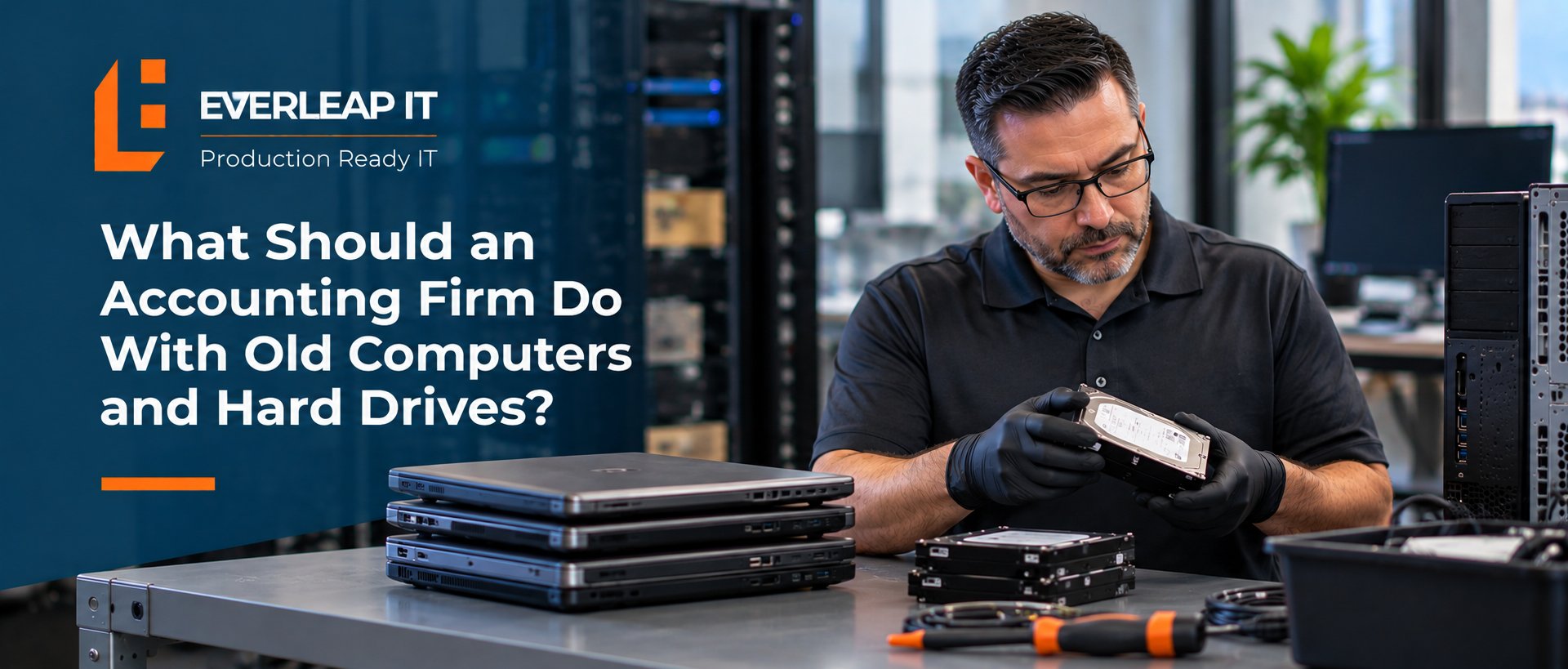
Accounting firms should inventory old computers, protect any data that still needs to be retained, securely remove sensitive information, document the disposal, and use an appropriate recycling or destruction process before equipment leaves the firm's control.
For a 5 to 25 employee accounting firm, an old computer should not simply be placed in a storage room, handed to an employee, donated, or sent to an electronics recycler without first addressing the data it may contain.
A practical process is: Inventory → Preserve → Sanitize → Document → Dispose
The objective is simple: retiring the computer should also retire the firm's data from that device.
Why Are Old Computers a Security Risk for Accounting Firms?
An old computer may no longer be useful to the firm, but the information stored on it may still be valuable. Accounting-firm computers can contain or provide access to:
- Tax documents
- Financial statements
- Client correspondence
- Payroll information
- Personally identifiable information
- Cached files and temporary documents
- Browser data
- Saved application information
- Local copies of cloud-synchronized files
- Employee and business records
A computer does not stop containing sensitive information simply because an employee receives a replacement. Even when most of the firm's applications are cloud-based, files may have been downloaded, synchronized, cached, or stored locally during normal use. That is why hardware retirement should be treated as a data-security process, not merely an equipment-disposal task. A defined process for replacing computers and servers should include what happens to the old equipment and its data after the replacement is complete.
Step 1: Inventory the Computer Before It Leaves Service
Before disposing of a computer, the firm or its IT provider should identify what is actually being retired. At minimum, the firm should know:
- Which computer is being removed
- Who was using it
- What storage devices it contains
- Whether the device is owned or leased
- Whether business information needs to be retained
- What will happen to the equipment afterward
This prevents a surprisingly common problem: equipment leaving the organization without anyone being certain what happened to the data. The same principle applies to servers, external drives, USB storage devices, and other equipment that may contain business information.
Step 2: Preserve Anything the Firm Still Needs
Secure disposal should not begin until the firm determines whether information on the device needs to be retained. An employee may have documents stored locally that were never moved to the firm's approved storage system. A specialized application may contain information that needs to be migrated. The computer may also contain configuration or business information required for another purpose. The firm should determine what needs to be preserved before the device is sanitized or physically destroyed.
This is another reason firms benefit from standardized storage practices. If important business records are consistently stored in approved systems rather than scattered across individual computers, replacing and retiring equipment becomes much easier. Clear standards for secure client portals and file sharing can also reduce the amount of sensitive client information employees store unnecessarily on individual devices.
Step 3: Securely Sanitize the Storage Device
Deleting files or emptying the Recycle Bin should not be treated as secure data removal. The appropriate sanitization method depends on the type of storage device, its condition, how the device was configured, and what will happen to it next. Depending on the situation, the process may involve an appropriate secure-erasure procedure, cryptographic erasure where applicable, or physical destruction of the storage media.
The important point for the accounting firm is not to select a technical method based on guesswork. The firm should have a defined process appropriate to the device and the sensitivity of the information it contained. If a drive has failed and cannot be reliably sanitized through normal methods, physical destruction may be appropriate.
Step 4: Document What Happened to the Device
Once a computer or drive leaves the firm's control, it may be difficult to reconstruct what happened months or years later. A simple disposal record can help. Depending on the firm's requirements and process, that record might include:
- Device identification or asset number
- Serial number
- User or department
- Date removed from service
- Storage device information
- Sanitization or destruction method
- Person or provider responsible
- Final disposition of the equipment
- Destruction or recycling documentation, when applicable
Device-retirement records can also become part of the firm's broader IT documentation, helping the firm maintain a clearer history of its technology assets and what happened to them when they left service. The process does not need to become unnecessarily complicated. The goal is to be able to answer a basic question later: What happened to this computer and the data that was on it?
Step 5: Dispose of the Hardware Through an Appropriate Channel
After the data has been properly addressed, the firm can decide what happens to the physical computer. Depending on the equipment and circumstances, it might be:
- Recycled
- Returned at the end of a lease
- Donated
- Repurposed
- Sold
- Provided to an employee
- Sent for certified destruction
The critical sequence is important.
Decide what happens to the data before deciding what happens to the hardware.
A computer should not be handed to an employee, donated to a nonprofit, returned to a leasing company, or sent to an electronics recycler while the firm is still uncertain whether sensitive information remains accessible.
What About Computers That Are Being Reused Inside the Firm?
Not every retired employee computer is leaving the organization. A device might be reassigned to another employee or repurposed for a different business function. The same principle still applies.
The firm should determine what information, accounts, applications, and configuration from the previous user should remain. When the computer is being reassigned because an employee has left the firm, device handling should be incorporated into the firm's IT onboarding and offboarding process rather than treated as a separate task. In many situations, a standardized rebuild or reconfiguration provides a cleaner transition than simply creating another user account and handing over the existing computer. The objective is to give the next employee an appropriately configured business computer without unnecessarily carrying forward the previous employee's information or access.
What About Leased Computers?
Leased equipment deserves particular attention because the computer eventually leaves the firm's physical control. The firm should understand who is responsible for data sanitization before equipment is returned. A leasing company's process for receiving used equipment should not automatically be assumed to satisfy the accounting firm's own security requirements.
Before returning leased computers, confirm what happens to the storage media and whether the firm's data-removal requirements have been completed. This is one factor accounting firms should consider when deciding whether to lease or buy computers in the first place.
Example: A 15-Person Accounting Firm Replaces Five Computers
Consider a hypothetical 15-person accounting firm replacing five computers. Instead of allowing employees to take the old computers home or putting them indefinitely into a storage closet, the firm follows a defined retirement process.
Each device is inventoried. Required business information is confirmed to be stored in the appropriate systems. The storage devices are securely sanitized or destroyed as appropriate. The disposition of each computer is recorded. Only then are the computers recycled, repurposed, or otherwise removed.
The process turns five old computers from an uncertain data-security issue into five documented asset retirements.
What Should an Accounting Firm Avoid Doing With Old Computers?
Several shortcuts can create unnecessary risk. An accounting firm should avoid relying on practices such as:
- Simply deleting files
- Emptying the Recycle Bin and assuming the data is gone
- Giving an old computer to an employee without addressing business data
- Donating equipment without sanitizing storage
- Leaving old computers indefinitely in an unsecured storage area
- Sending equipment to a recycler without understanding how data-bearing devices are handled
- Returning leased equipment without confirming the firm's data-removal responsibilities
- Losing track of which devices have actually left the organization
The common problem is not the decision to recycle, donate, return, or reuse a computer. It is losing control of the device before losing control of the data has been prevented.
A Simple Computer Retirement Checklist
Before an accounting firm's computer leaves service, the firm should be able to answer:
- Have we identified the device and its storage?
- Do we know who used it?
- Has required business information been preserved?
- Has sensitive data been appropriately removed?
- Has the sanitization or destruction process been documented?
- Have company accounts and management tools been addressed?
- Do we know where the equipment is going?
- If a third party is involved, do we understand how the equipment and storage media will be handled?
If the answer to any of those questions is unclear, the device probably is not ready to leave the firm's control.
How Everleap IT Helps Accounting Firms Manage the Technology Lifecycle
Secure disposal is the final stage of a computer's technology lifecycle.
Everleap IT helps accounting firms manage that lifecycle from initial deployment and configuration through maintenance, replacement, data protection, and eventual retirement. The objective is to make computer replacement a planned operational process rather than an improvised event.
That approach is informed by more than 20 years of production hosting experience. Operating production environments requires disciplined processes for hardware, data, access, documentation, security, and lifecycle management. Everleap IT brings that same operational mindset to the technology accounting firms rely on every day.
Everleap IT provides managed IT services for accounting firms throughout California's Inland Empire, including Rancho Cucamonga, Upland, Ontario, Chino, Claremont, and nearby communities.
Through a Production Ready IT approach, Everleap IT helps firms manage business-critical technology from deployment through retirement, including what happens to sensitive information when a device reaches the end of its useful life.
Talk with Everleap IT about your accounting firm's computer lifecycle and data-disposal process to identify aging equipment, undocumented devices, and potential data-security gaps.
Not ready for a conversation? Download our IT Buyer's Guide to help evaluate whether your firm's technology is being proactively managed.