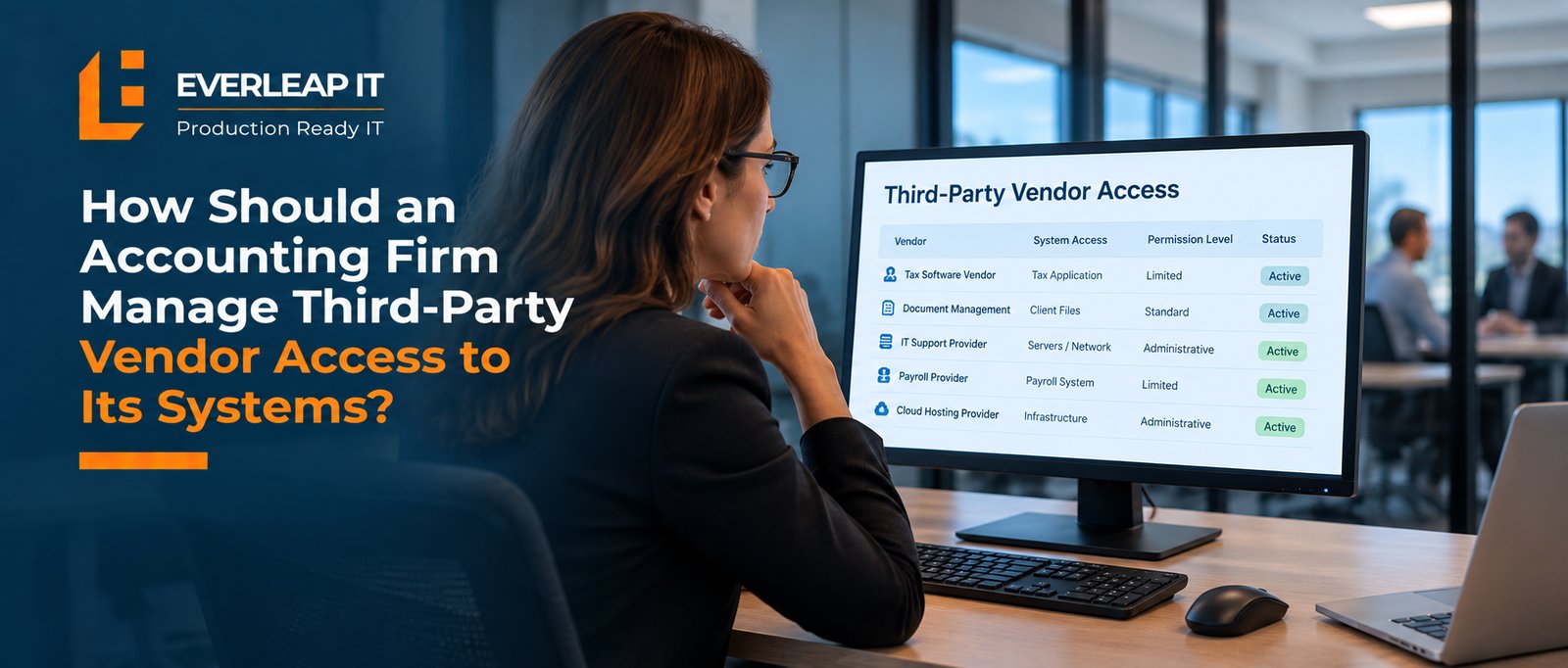
An accounting firm should manage third-party vendor access by following five steps: identify who has access, approve access based on business need, restrict permissions, monitor vendor activity, and remove access when it is no longer required.
For a 5 to 25 employee accounting firm, outside software vendors, IT consultants, tax application support teams, and other service providers may need access to computers, servers, cloud applications, or sensitive client information. That access can be necessary for normal operations, but it also creates security risks when accounts are shared, permissions are excessive, or former vendors retain access indefinitely.
A practical approach follows five steps: Inventory → Authorize → Restrict → Monitor → Revoke
The objective is not to prevent vendors from doing their jobs. It is to ensure that outside access is intentional, documented, appropriately secured, and removed when the work is complete.
Step 1: Identify Which Vendors Have Access to the Firm's Systems
Before an accounting firm can manage vendor access, it needs to know who currently has it. Third-party access may include more than a technician connecting remotely to an office computer. Common examples include:
- Tax preparation software vendors providing application support
- Managed IT providers administering servers and workstations
- Cloud hosting companies managing infrastructure
- Document management vendors supporting client files
- Cybersecurity providers monitoring endpoints and networks
- Consultants accessing accounting or financial applications
- Software vendors maintaining integrations between systems
Some vendors use individual user accounts. Others connect through remote support tools, service accounts, application integrations, or administrative portals. The firm should maintain a vendor access inventory that records:
| Information | What to document |
|---|---|
| Vendor | Company name and primary contact |
| Business purpose | Why access is required |
| Systems | Applications, servers, or data the vendor can reach |
| Access method | User account, remote support tool, VPN, or integration |
| Permission level | Standard user, application administrator, or system administrator |
| Internal owner | Person responsible for approving access |
| Review date | When access was last verified |
| Expiration | When temporary access should end |
This inventory does not need to be complicated. A securely maintained register can be sufficient for a small accounting firm. A vendor access register should also be part of the firm's broader IT documentation, alongside system inventories, administrative account records, vendor contacts, and recovery information. The first question is simple: Can the firm identify every outside organization that currently has access to its technology?
Step 2: Require Approval Before Granting Vendor Access
Third-party access should be approved by someone who understands both the business need and the potential security implications. For example, a tax software vendor may need temporary access to troubleshoot an application problem. That does not automatically mean the vendor needs unrestricted access to the firm's entire network. Before granting access, confirm:
- Who is requesting access? Verify the vendor's identity and the individual technician when applicable.
- Why is access needed? Identify the support issue or business task.
- What systems are involved? Determine which application, device, or service requires access.
- What permissions are necessary? Grant only the privileges needed for the approved task.
- How long is access required? Establish whether access is temporary or ongoing.
A request should not be approved solely because someone claims to represent a familiar software vendor. If an unexpected caller requests remote access, the firm should verify the request through a trusted contact method rather than relying on the phone number or link provided by the caller. An unexpected vendor support request may also be part of a phishing or social engineering attempt. Employees should know how to verify suspicious requests and what to do if they have already clicked a malicious link or provided access.
For recurring support arrangements, the firm should document which vendor roles are authorized and how requests are approved. Vendor access should be a controlled business decision, not an informal favor granted during a support call.
Step 3: Restrict Vendor Permissions and Secure Remote Connections
Once access has been approved, the firm should limit it to what the vendor needs. This principle is commonly called least privilege. For example, a technician troubleshooting a tax application may need access to that application or its supporting server. The technician may not need access to Microsoft 365 administration, employee payroll records, or unrelated client files. The same principle applies to local administrator rights. Vendors should not receive permanent administrative control over employee computers simply because elevated access was required for a particular installation or support task. Appropriate controls may include:
- Individual vendor accounts instead of shared credentials
- Multifactor authentication where supported
- Role-based permissions
- Restricted administrative privileges
- Approved remote access tools
- Access limited to specific systems
- Time-limited access for temporary support
- Secure storage and management of service account credentials
Strong password management and identity security practices help accounting firms apply these controls consistently, particularly when outside vendors require individual accounts, multifactor authentication, or privileged access.
Remote access tools deserve particular attention. An accounting firm should know which remote support applications are installed, who can use them, and whether unattended access is enabled. Unattended access may be necessary for certain managed services, but it should be explicitly authorized and protected. The firm should also distinguish between human access and automated integrations.
For example, a document management application may connect to Microsoft 365 through an application integration rather than a technician's user account. That connection may retain permissions until someone explicitly removes them. The goal is to give vendors enough access to complete authorized work without granting unnecessary control over the firm's environment.
Step 4: Monitor Vendor Activity and Review Access Regularly
Approving access is only the beginning. Accounting firms should have a reasonable way to determine whether third-party access remains appropriate. Depending on the systems involved, useful controls may include:
- Recording when vendor accounts are created or changed
- Reviewing administrative sign-ins and access logs
- Monitoring remote support connections
- Maintaining support tickets that document vendor activity
- Alerting on unusual privileged access
- Reviewing service accounts and application integrations
- Confirming that ongoing vendor access still has a business purpose
Not every small accounting firm needs an elaborate monitoring platform specifically for vendor access. However, someone should be responsible for reviewing the access that already exists. A practical starting point is a quarterly vendor access review, with additional reviews after major software changes, security incidents, or vendor transitions. Vendor permissions can also be included in the firm's broader quarterly IT review, giving leadership an opportunity to confirm that outside access remains necessary and that identified security issues are being addressed. During that review, the firm should ask:
- Does this vendor still provide services?
- Does the vendor still need access to these systems?
- Are the permissions appropriate?
- Are any shared or unused accounts still active?
- Are remote access tools properly managed?
- Are there unexpected application integrations?
- Has the vendor's access method changed?
Quarterly review is a suggested operating cadence, not a universal regulatory requirement. Higher-risk access may require more frequent oversight. Access that was appropriate six months ago may no longer be necessary today.
Step 5: Remove Vendor Access When the Work or Relationship Ends
Third-party access should have a clear end point. When a support engagement finishes, a software subscription is canceled, or a vendor relationship ends, the accounting firm should review and remove access that is no longer authorized. Depending on the environment, offboarding may involve:
- Disabling vendor user accounts
- Removing unnecessary administrative privileges
- Revoking remote access permissions
- Removing unused remote support software
- Rotating credentials that were shared with the vendor
- Revoking unneeded application integrations or tokens
- Reviewing service accounts and scheduled tasks
- Confirming that critical systems continue operating
The final step is important. Some vendors maintain integrations, service accounts, or automated processes that support essential applications. Removing those connections without understanding their purpose could interrupt operations. The firm's IT provider should coordinate changes with the relevant software vendors when necessary.
If a managed IT provider is being replaced, the transition should include an explicit review of the outgoing provider's administrative accounts, monitoring agents, remote access tools, and other privileged connections. This becomes especially important when an IT provider leaves or goes out of business, because the accounting firm may need to recover administrative control and identify access arrangements that were never fully documented. Vendor offboarding is not complete simply because the contract has ended. Technical access must also be reviewed and removed appropriately.
Example: A 15-Person Accounting Firm Reviews Vendor Access Before Tax Season
Consider a hypothetical 15-person accounting firm in Southern California preparing for tax season. The firm uses Microsoft 365, tax preparation software hosted on a local server, a cloud document management application, and several outside software vendors. During a technology review, the firm's IT provider discovers:
- Two former software support technicians still have enabled remote access accounts.
- A document management integration has broader permissions than its current function requires.
- A tax software vendor uses an unattended remote support tool that is not included in the firm's IT documentation.
The firm works with its IT provider and the relevant vendors to verify which connections are still necessary. The former technician accounts are disabled after confirming they are no longer needed. The document management integration is reviewed and adjusted where supported. The tax software vendor's remote access arrangement is documented, restricted, and incorporated into the firm's ongoing access review process. The firm also establishes a quarterly review of third-party accounts and integrations. The outcome is better visibility and control without preventing legitimate vendor support.
This is a hypothetical example, not a description of a specific Everleap IT client engagement.
What Should an Accounting Firm Require From Vendors That Need Ongoing Access?
Some vendors require continuing access to deliver services, maintain applications, or monitor infrastructure. In those situations, the firm should establish clear expectations rather than repeatedly approving temporary exceptions. A reasonable vendor access arrangement should address:
| Requirement | What the firm should confirm |
|---|---|
| Authorized personnel | Who may access the environment |
| Access scope | Which systems and permissions are allowed |
| Authentication | How vendor identities are verified |
| Remote access | Which tools and connection methods are approved |
| Activity records | What access or administrative activity can be reviewed |
| Incident notification | How suspected misuse or compromise is reported |
| Offboarding | How access is removed when services end |
| Responsibility | Who manages and reviews the access |
These expectations may be documented in vendor agreements, security procedures, support arrangements, or internal IT policies. The appropriate level of detail depends on the vendor's role and the sensitivity of the systems involved. A company maintaining a printer should not automatically receive the same access as a provider operating the firm's business-critical server infrastructure.
Who Should Be Responsible for Managing Third-Party Access?
The accounting firm's leadership should retain accountability for deciding which outside organizations are authorized to access business systems and client information. However, the technical implementation is often best handled by a qualified IT provider. A practical division of responsibility is:
Accounting firm leadership: Approves vendor relationships, identifies business needs, and establishes access expectations.
Managed IT provider: Implements access controls, manages approved remote connections, reviews privileged accounts, and coordinates technical offboarding.
Third-party vendor: Uses only authorized access, follows agreed security procedures, and reports relevant security concerns.
This arrangement helps prevent a common problem in small businesses: assuming that someone else is responsible for access control without confirming who that person is. The firm should know who approves access, who implements it, and who verifies that it has been removed.
How Everleap IT Helps Accounting Firms Manage Vendor Access
Third-party vendor access is an operational issue as well as a cybersecurity concern. Accounting firms need software vendors and support providers to perform legitimate work without exposing unrelated systems or retaining unnecessary administrative privileges.
Everleap IT approaches access management as part of maintaining a secure, supportable, and well-documented technology environment. That approach is informed by more than 20 years of production hosting experience. Operating production environments requires disciplined access controls, clear administrative responsibilities, monitoring, change management, and procedures for removing access when it is no longer needed. Everleap IT applies that operational mindset through its Production Ready IT approach, helping accounting firms manage business-critical technology with greater accountability.
Everleap IT provides managed IT services for accounting firms throughout Southern California, including California's Inland Empire communities of Rancho Cucamonga, Upland, Ontario, Chino, Claremont, and nearby areas.
If your accounting firm is unsure which outside vendors can access its systems, contact Everleap IT to discuss your technology environment and schedule an assessment. A review can help identify unnecessary vendor accounts, remote access tools, and privileged connections that may need attention.
Not ready for a conversation? Download our IT Buyer's Guide to learn what to look for when evaluating a managed IT provider.