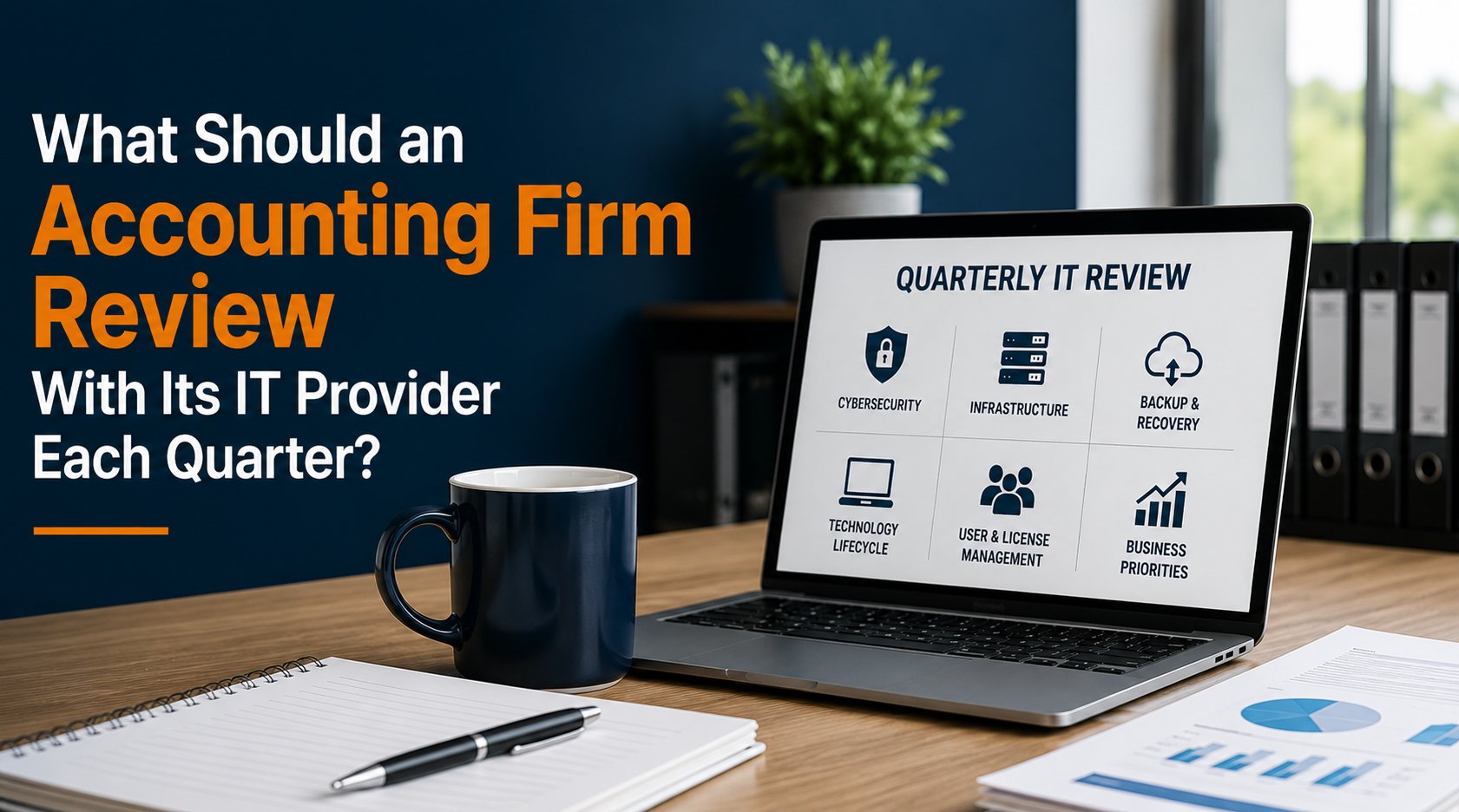
An accounting firm should review at least six areas with its IT provider every quarter: cybersecurity, infrastructure health, backup and recovery readiness, technology lifecycle, user and licensing changes, and upcoming business priorities.
For a 5 to 25 employee accounting firm, a quarterly technology review does not need to become a lengthy technical meeting. A focused 45 to 60 minute conversation, four times per year, can help leadership identify risks, make technology decisions earlier, and align IT spending with the firm's business calendar.
The objective is not to review how many support tickets were closed. The more valuable question is:
What has changed, what risks are developing, and what should we address before the next quarter?
A practical quarterly technology review can be organized around six areas.
Why Quarterly IT Reviews Matter for Accounting Firms
Technology changes even when the firm is not intentionally changing it. Computers get older. Software vendors release updates. Employees join and leave. Licensing changes. Security threats evolve. Storage consumption increases. Warranties expire. Business priorities change.
A technology environment that was appropriate twelve months ago may not be appropriate today. The challenge is that many of these changes do not immediately generate support tickets.
A five-year-old computer may still turn on. A backup job may appear successful. An employee may still have access they no longer need. A firewall may still function even though its replacement should be planned. Those issues become visible when the environment is reviewed proactively.
Quarterly reviews create a regular decision-making rhythm rather than waiting for technology to force a conversation.
1. Review Cybersecurity and Identity
Start with the security posture of the environment. The discussion should focus on meaningful changes and unresolved risks rather than simply confirming that security products are installed. The quarterly discussion should also confirm that the firm's identity and administrative access controls still reflect who needs access to critical systems and what level of access their role requires.
Areas to review may include:
- Multi-Factor Authentication
- Microsoft Entra ID
- Conditional Access
- Endpoint protection
- Email security
- Security awareness
- Administrative access
- Security incidents
- Vulnerability or patch status
- Cyber insurance requirements
- Significant security recommendations
The review should answer questions such as:
Have new risks been identified?
Are important security recommendations still outstanding?
Have employee or application changes affected access?
Are administrative privileges still appropriate?
Have security requirements from clients, insurers, or other stakeholders changed?
Pay Particular Attention to Exceptions
Security problems often develop around exceptions.
For example:
A security setting was temporarily changed to troubleshoot an application. An employee received additional permissions for a project. A legacy application could not support a preferred security configuration. An account was excluded from a policy.
Sometimes exceptions are necessary. The important question is whether anyone is still tracking them.
A quarterly review provides an opportunity to ask: Does this exception still need to exist?
2. Review Infrastructure Health and Capacity
Next, evaluate the systems that support daily operations. Depending on the firm, this may include:
- Servers
- Storage
- Firewalls
- Network switches
- Wireless infrastructure
- Internet connectivity
- Computers
- Cloud infrastructure
- Microsoft 365
- Critical applications
The discussion should consider both current health and developing trends.
For example:
A server may be healthy today but approaching the end of its warranty. Storage may be functioning normally but increasing toward a capacity threshold. Internet connectivity may be stable but lack a tested backup connection. A computer may be operational but approaching the firm's replacement standard.
The purpose is to identify conditions that could become problems before they become urgent.
Look at Trends, Not Just Current Status
A single point-in-time measurement can be misleading. Suppose server storage is 75 percent utilized. Is that a problem? Maybe. If it was 74 percent six months ago, probably not immediately. If it was 50 percent six months ago, the growth rate deserves attention.
The same principle applies to:
- Storage
- Backup capacity
- Internet utilization
- Hardware age
- Application performance
- Support patterns
Trend information helps turn technical data into planning information.
3. Review Backup and Recovery Readiness
Every quarterly review should include a short discussion about recovery. Leadership does not need to inspect every backup job. It should receive enough information to understand whether the firm's recovery capability remains healthy.
Questions might include:
- Are critical systems being backed up successfully?
- Have restore tests been completed?
- Were any problems discovered?
- Have those problems been corrected?
- Have systems changed since the recovery plan was last tested?
- Are recovery procedures current?
- Do RTO and RPO assumptions still reflect business requirements?
- Are there unresolved single points of failure?
This is particularly important because successful backup jobs can create a false sense of confidence. The real objective is not simply to possess backup data. It is to maintain the ability to restore critical business services when necessary. Leadership should confirm that backups are completing successfully and that backup and recovery testing has demonstrated the firm's ability to restore critical systems when needed.
Adjust the Conversation Around Tax Season
An accounting firm's tolerance for disruption is not constant throughout the year. As tax season approaches, recovery readiness may deserve more attention. A quarterly review before a critical production period should consider whether:
- Backup verification is current
- Recovery testing has been completed
- Critical infrastructure is stable
- Known issues have been addressed
- Vendor contacts are current
- Administrative access is available
- Internet failover has been tested where applicable
The calendar should influence technology priorities.
4. Review Hardware and Software Lifecycle
Technology lifecycle planning is one of the clearest examples of the difference between proactive and reactive IT management. A quarterly review should identify equipment and software approaching important lifecycle events.
That can include:
- Computers approaching replacement
- Server warranty expiration
- Firewall support expiration
- Operating system end of support
- Software end of life
- Aging network equipment
- Licensing changes
- Vendor contract renewals
The goal is not to replace everything early. A defined computer and server replacement lifecycle helps leadership plan these investments before aging hardware creates an urgent operational decision.
Look at the Next 12 to 36 Months
Quarterly planning should not be limited to the next 90 days. For significant technology investments, leadership should understand what is likely to occur over the next one to three years.
For example:
Next 6 months: Replace four aging workstations.
Next 12 months: Renew firewall security licensing.
Next 18 months: Evaluate server replacement or application migration.
Next 24 months: Review network infrastructure lifecycle.
This allows the firm to budget and schedule work around business priorities. It also reduces the likelihood of several major technology expenses appearing unexpectedly in the same year.
5. Review Users, Applications, and Licensing
People and applications change continuously. Quarterly reviews provide an opportunity to make sure the technology environment still reflects the organization.
Review areas such as:
- New employees
- Departing employees
- Role changes
- Microsoft 365 licensing
- Application licensing
- Shared mailboxes
- Distribution groups
- Administrative accounts
- Unused software
- New cloud applications
This can uncover both risk and unnecessary expense. For example, the firm may still be paying for a license assigned to a former employee. An employee may have retained permissions from a previous role. A department may have adopted a new cloud application without considering how it will be supported, secured, backed up, or eventually offboarded.
Quarterly review helps bring these changes back into the firm's overall technology strategy. These reviews should also confirm that the firm's IT onboarding and offboarding process is consistently adding, changing, and removing access as employees join, change roles, or leave.
6. Review Upcoming Business Priorities
The final area may be the most important. Ask leadership:
What is changing in the business over the next three to twelve months?
Technology planning should follow business planning. Relevant changes might include:
- Hiring employees
- Opening an office
- Moving offices
- Adding remote employees
- Acquiring another practice
- Introducing a new service
- Changing tax software
- Replacing a document management system
- Moving an application to the cloud
- Increasing cybersecurity requirements
- Preparing for tax season
An IT provider cannot plan effectively for changes it does not know are coming. Likewise, leadership should understand the technology implications before making commitments.
Example: Hiring Five Employees
Suppose a 15-person accounting firm expects to hire five people over the next six months. That is a 33 percent increase in headcount. The technology discussion should begin before the employees arrive.
Questions might include:
- Are five computers available or budgeted?
- Are Microsoft 365 licenses available?
- Does the office have enough workspace and network capacity?
- Are additional application licenses required?
- Does the Internet connection have sufficient capacity?
- Does the phone system need changes?
- How will accounts and permissions be provisioned?
- Will additional security or training be required?
What appears to be an HR decision can create several technology requirements. A quarterly planning process gives those requirements time to be addressed deliberately.
What Should Come Out of a Quarterly IT Review?
A quarterly technology review should produce decisions, not simply information. At the end of the meeting, leadership should understand:
- What is working well
- What risks require attention
- What decisions need to be made
- What projects are approaching
- What should be budgeted
- Who is responsible for each next step
Keep the action list manageable. If every quarterly review produces 40 recommendations, leadership may struggle to determine what actually matters. A more useful approach is to identify priorities.
For example:
Priority 1: Resolve a backup recovery-test issue.
Priority 2: Replace three computers before tax season.
Priority 3: Implement a recommended identity-security improvement.
Priority 4: Budget for next year's firewall replacement.
This creates accountability and gives the next quarterly review a starting point.
What Should a Quarterly IT Review Not Become?
A strategic review should not become a recitation of technical statistics. Leadership probably does not need 20 slides showing CPU utilization, antivirus scan counts, or ticket categories unless those numbers support a business decision. Metrics should answer meaningful questions.
For example:
Instead of:
"We installed 427 patches."
Ask:
"Are critical systems current and are there unresolved vulnerabilities?"
Instead of:
"We closed 96 percent of tickets."
Ask:
"Are recurring support issues indicating an underlying operational problem?"
Instead of:
"Backup success was 99 percent."
Ask:
"Can we restore our critical systems within the time the business requires?"
The purpose of the meeting is not to demonstrate that IT has been busy. It is to help leadership make better technology decisions.
Quarterly Reviews Should Connect to a Longer-Term Technology Roadmap
Quarterly reviews and long-term planning serve different purposes. The quarterly review asks:
What changed, and what should we address next?
The technology roadmap asks:
Where does the environment need to be over the next several years?
Quarterly reviews and long-term planning serve different purposes, but they should work together. A three-year technology roadmap provides the longer-term direction, while quarterly reviews help leadership adjust priorities as business requirements and technology conditions change.
For example, a three-year roadmap might identify a server replacement in year two. Quarterly reviews can then track:
- Current server health
- Warranty status
- Capacity
- Application requirements
- Cloud alternatives
- Budget
- Project timing
By the time a replacement decision is required, leadership has already been discussing it. That is much better than receiving an unexpected proposal because the server suddenly reached the end of support.
A Quarterly Review Is Part of Operating IT
At Everleap IT, we view quarterly technology reviews as part of operating a Production Ready technology environment. Monitoring tells us what is happening. Documentation tells us how the environment is configured. Lifecycle management tells us what is aging. Recovery testing tells us whether the organization can recover. Cybersecurity controls help reduce risk.
Quarterly reviews bring those operational disciplines together and connect them to business priorities. That is an important distinction. A firm should not have to wait until something breaks before having a meaningful conversation with its IT provider.
How Everleap IT Approaches Technology Planning
Our approach has been shaped by more than 20 years of operating production hosting environments, where monitoring, capacity planning, lifecycle management, security, recovery, documentation, and change management are ongoing operational responsibilities.
For accounting firms, that mindset can be applied through:
- Proactive monitoring
- Cybersecurity reviews
- Infrastructure health reviews
- Backup and recovery readiness
- Hardware lifecycle management
- Microsoft 365 management
- Identity and access management
- Technology documentation
- Strategic planning
- Production Readiness assessments
The objective is to give leadership visibility into both the current environment and the decisions coming next.
What Should You Ask at Your Next IT Review?
If your firm already meets with its IT provider quarterly, start with six questions:
- What are our three most important technology risks right now?
- Is any critical infrastructure approaching capacity, warranty expiration, or end of support?
- When did we last successfully test recovery?
- Are there security recommendations we have not addressed?
- What technology expenses should we expect during the next 12 to 36 months?
- What does IT need to know about our upcoming business plans?
If your current technology conversations focus primarily on open support tickets, there may be an opportunity to make those conversations more strategic.
Everleap IT helps accounting firms throughout California's Inland Empire, including Rancho Cucamonga, Upland, Ontario, Chino, Claremont, and nearby communities, manage technology through proactive monitoring, cybersecurity, recovery readiness, lifecycle management, documentation, strategic planning, and Production Readiness assessments.
If your firm wants greater visibility into technology risk, upcoming investments, and operational readiness, a technology assessment can provide a practical starting point for identifying priorities and building a more proactive technology plan. Contact us to discuss your IT needs and schedule a technology assessment.