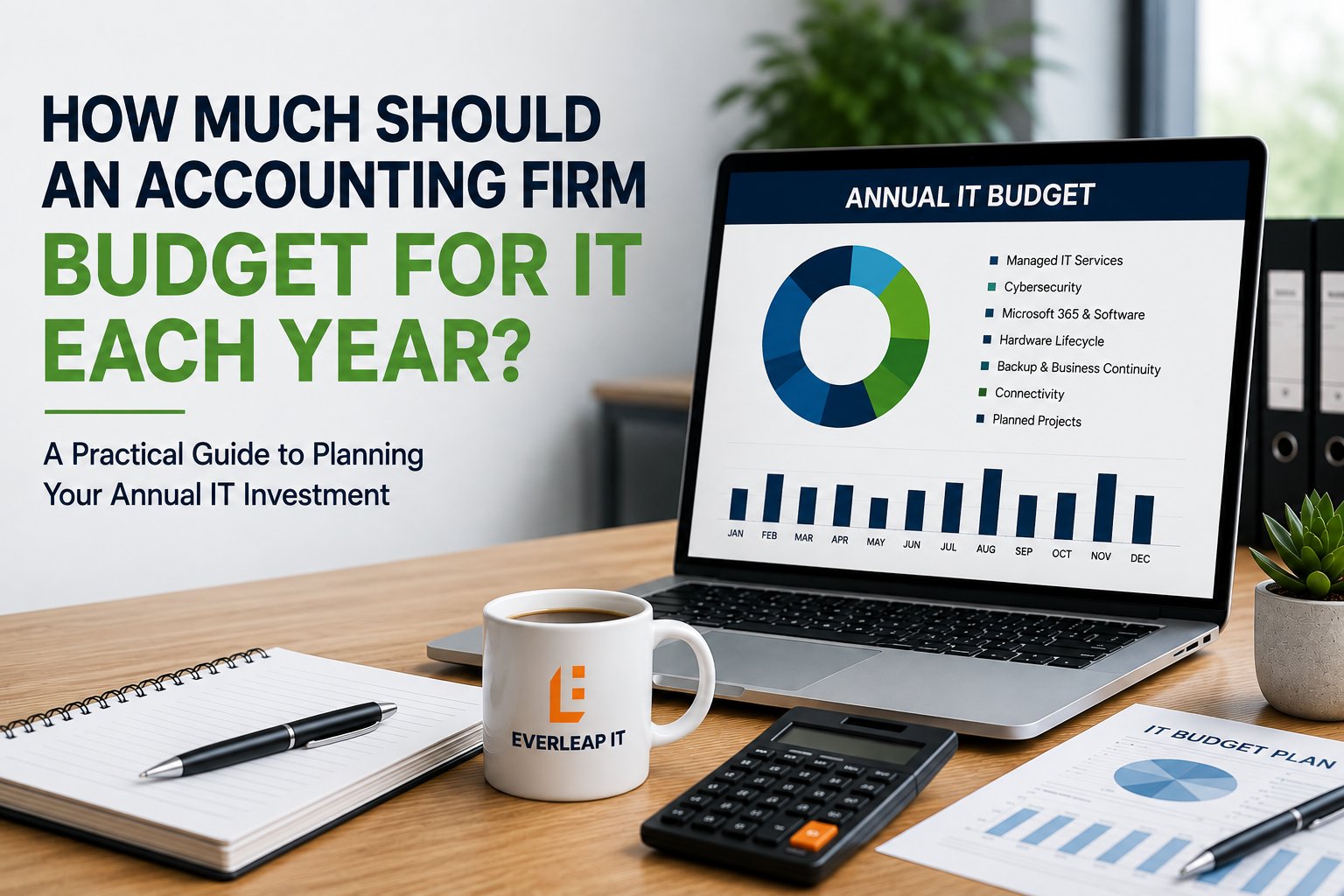
For a 5 to 25 employee accounting firm, annual IT spending should be planned across at least seven categories: managed IT services, cybersecurity, Microsoft 365 and software licensing, hardware lifecycle, backup and business continuity, connectivity, and planned technology projects.
There is no single percentage or per-user number that accurately represents every accounting firm. A cloud-first 10-person firm with relatively simple applications may have very different requirements from a 25-person firm operating servers, multiple locations, specialized tax applications, remote workers, and more demanding recovery requirements.
A better budgeting approach is to separate predictable recurring costs from planned lifecycle investments and strategic projects, then maintain enough visibility to avoid turning foreseeable technology expenses into emergencies.
The objective is not simply to spend less on IT.
It is to know what the firm is paying for, what risks that spending addresses, and what investments are coming next.
What Should an Accounting Firm Include in Its IT Budget?
When leadership asks, "What do we spend on IT?" the first number that may come to mind is the monthly managed services invoice.
That is only part of the technology budget.
An accounting firm's total IT spending may include:
- Managed IT services
- Cybersecurity
- Microsoft 365
- Tax and accounting applications
- Cloud services
- Computers
- Servers
- Network equipment
- Backup and disaster recovery
- Internet connectivity
- VoIP
- Hardware warranties
- Software subscriptions
- Technology projects
- Consulting and strategic planning
Some expenses are paid directly to the IT provider.
Others are paid to software vendors, Internet providers, hardware manufacturers, or cloud providers.
If leadership looks only at the MSP invoice, it may underestimate both the true cost of operating technology and the investments that should be planned for future years.
A useful IT budget therefore starts by separating technology spending into seven categories.
1. Budget for Ongoing Managed IT Services
The first category is the recurring cost of managing and supporting the environment.
Depending on the agreement, managed IT services may include:
- Help desk support
- Endpoint management
- Proactive monitoring
- Patch management
- Microsoft 365 administration
- Network management
- Vendor coordination
- Cybersecurity management
- Backup monitoring
- Documentation
- Strategic technology planning
- Quarterly technology reviews
The important budgeting question is not simply:
What is our monthly MSP fee?
It is:
What responsibilities are included in that fee, and what technology costs remain outside it?
Two providers can quote very different monthly prices because they are providing very different scopes of service. One proposal may include security tools, Microsoft 365 administration, backup monitoring, strategic planning, and network management. Another may charge separately for some or all of those services. Comparing monthly fees without comparing scope can therefore produce a misleading budget.
Firms establishing an annual technology budget should first understand the factors that influence managed IT services costs, including employee count, technology complexity, security requirements, and the scope of services included.
Convert Monthly Costs Into an Annual Operating Number
Recurring monthly technology costs should be annualized. For example, if a service costs $2,500 per month:
$2,500 × 12 = $30,000 per year
That sounds obvious, but annualizing recurring expenses makes it much easier to compare them with hardware purchases, projects, renewals, and other annual investments. The objective is to build a complete technology budget rather than manage a collection of unrelated monthly invoices.
2. Budget Separately for Cybersecurity
Cybersecurity should not be treated as an occasional project. It is an ongoing operating requirement. Depending on the firm's environment, cybersecurity spending may include:
- Endpoint detection and response
- Email security
- Multi-Factor Authentication
- Microsoft Entra ID
- Conditional Access
- Security awareness training
- DNS or web protection
- Vulnerability management
- Security monitoring
- Encryption
- Password management
- Cybersecurity assessments
- Incident response planning
Some of these capabilities may already be included in the firm's managed IT agreement or Microsoft licensing. Others may require separate products or services. That is why leadership should understand what security capabilities are actually included, rather than simply seeing a line item labeled "cybersecurity."
Budget for Risk, Not Just Products
Buying another security product does not necessarily make the environment more secure. The more useful budgeting conversation is to identify the risks the firm needs to reduce and determine which cybersecurity controls appropriately address those risks.
For example, protecting employee identities may require a combination of MFA, Conditional Access, administrative-access controls, employee training, and monitoring. Those controls work together. A good cybersecurity budget therefore reflects a security strategy rather than a shopping list of products.
3. Account for Microsoft 365 and Business Application Licensing
Software subscriptions can become a significant recurring expense, particularly as firms adopt more cloud services. The technology budget should account for:
- Microsoft 365 licensing
- Tax software
- Accounting applications
- Practice management
- Document management
- Client portals
- Electronic signature platforms
- Cloud storage
- Backup services
- Security applications
- Other SaaS platforms
These costs should be reviewed as employee counts and business requirements change. For example, a 15-person firm planning to hire five employees is increasing headcount by approximately 33 percent. That may affect more than payroll. The firm may also need five additional Microsoft 365 licenses, application licenses, computers, security subscriptions, phone licenses, and other technology resources. Technology costs should therefore be considered as part of hiring and growth planning.
Watch for License Creep
Licensing can also move in the opposite direction. A former employee's license may remain active. A software subscription may no longer be used. Two applications may perform overlapping functions. Employees may be assigned licenses that exceed their actual requirements. Quarterly licensing reviews can help identify unnecessary recurring expenses while also confirming that employees have the capabilities they need.
4. Build Hardware Replacement Into the Budget
Computers, servers, firewalls, switches, wireless equipment, and other infrastructure eventually need to be replaced. That should not be a surprise. For a 20-person firm, replacing every computer in the same year can create a significant expense. A lifecycle approach spreads those investments over time.
Consider a simple example. Suppose a firm has 20 workstations and uses a five-year replacement planning cycle. Instead of waiting until most computers are old at the same time, the firm might plan for approximately:
20 computers ÷ 5 years = 4 computer replacements per year
Actual replacement timing will vary. Some systems may need to be replaced earlier, while others may remain appropriate longer. But the planning principle is useful. Known lifecycle expenses should become budget items rather than emergency purchases. A defined computer and server replacement strategy helps leadership estimate those future costs and distribute technology investments more predictably over time.
Include Infrastructure, Not Just Computers
Hardware planning should also account for:
- Servers
- Firewalls
- Network switches
- Wireless access points
- Backup appliances
- UPS equipment
- Printers and scanners where appropriate
These devices may have warranties, vendor support periods, software support requirements, or capacity limitations. A firewall that is still functioning may nevertheless require replacement because support is ending. A server may still run but be approaching warranty expiration or capacity limits. The annual IT budget should reflect what is likely to need attention during the next 12 to 36 months, not just what is broken today.
5. Budget for Backup, Recovery, and Business Continuity
Backup is another recurring technology cost that should be evaluated in terms of business requirements. The firm should consider:
- What data is being backed up
- Backup frequency
- Retention requirements
- Offsite or cloud storage
- Microsoft 365 backup where appropriate
- Server or application backup
- Recovery infrastructure
- Disaster recovery capabilities
- Recovery testing
- Business continuity requirements
The cost of the solution should reflect what the firm expects it to accomplish. A firm that can tolerate a day of downtime may make different investments from a firm that needs critical systems restored within hours.
The same applies to data loss. If the business can tolerate losing a day's work, its recovery requirements differ from a firm that expects much more frequent recovery points.
Those requirements are commonly expressed as:
Recovery Time Objective (RTO): How quickly does the system need to return?
Recovery Point Objective (RPO): How much recent data can the organization afford to lose?
The technology budget should support the business's actual recovery requirements rather than assuming every backup solution provides the same outcome.
6. Include Internet, Communications, and Connectivity
Internet connectivity has become business-critical infrastructure for many accounting firms. Cloud applications, Microsoft 365, VoIP, client portals, remote access, identity services, and other systems may all depend on it. Budget categories may include:
- Primary Internet service
- Secondary Internet service
- Cellular or 5G backup
- VoIP services
- Firewall licensing
- Remote-access technologies
- Network management
A firm should decide whether redundant Internet connectivity is justified based on the operational impact of an Internet outage. For one office, a cellular backup connection may be sufficient. Another may require two business-class Internet connections with automatic failover. The budget should follow the business requirement.
The question is not:
What is the cheapest Internet connection we can buy?
It is:
What connectivity does the firm need to continue operating at an acceptable level?
7. Reserve Budget for Planned Projects and Business Changes
Not every technology expense belongs in the recurring operating budget. Projects should be identified separately. Examples might include:
- Office moves
- New office buildouts
- Server replacements
- Cloud migrations
- Application migrations
- Network upgrades
- Security projects
- Major hardware refreshes
- Merger or acquisition integration
- Phone-system changes
- Document-management projects
These investments can be substantial, but many are foreseeable. A firm planning to move offices next year should not wait until 30 days before the move to discover the technology requirements. A firm considering a new practice-management system should understand implementation, migration, training, security, integration, and support costs before making the decision.
Maintain a 12-to-36-Month Technology View
Annual budgeting becomes much easier when leadership can see beyond the current year. A simple roadmap might look like this:
Next 6 months: Replace four aging workstations.
Next 12 months: Renew firewall licensing and evaluate backup capacity.
Next 18 months: Replace or migrate a business application.
Next 24 months: Evaluate server lifecycle.
Next 36 months: Review network infrastructure.
The exact projects will differ by firm. The important part is that leadership can see them coming.
How Should an Accounting Firm Build Its Annual IT Budget?
A practical budgeting process can be completed in five steps.
Step 1: Establish the Current Annual Run Rate
List recurring technology expenses and annualize them. Include managed services, software, security, cloud services, connectivity, backup, and other recurring costs.
This establishes:
What does it currently cost to operate our technology for one year?
Step 2: Review Upcoming Lifecycle Events
Identify hardware, software, warranties, contracts, and infrastructure approaching replacement or renewal. Look at least 12 months ahead, and preferably 24 to 36 months for larger investments.
Step 3: Identify Business Changes
Ask leadership what is changing. Are you:
- Hiring?
- Moving?
- Opening another office?
- Acquiring a firm?
- Adding remote employees?
- Changing applications?
- Introducing new services?
Those business decisions may create technology costs.
Step 4: Prioritize Risk-Reduction Investments
Not every recommendation needs to be completed immediately. Prioritize investments based on factors such as:
- Business impact
- Cybersecurity risk
- Likelihood of failure
- End-of-support dates
- Recovery requirements
- Client requirements
- Operational dependency
This helps distinguish a meaningful technology investment from a nice-to-have improvement.
Step 5: Build the Budget Into a Technology Roadmap
Finally, place planned investments on a timeline. A three-year technology roadmap can help leadership connect recurring operating costs, lifecycle investments, and strategic projects to expected business priorities. The result should allow leadership to see:
Recurring operating costs + planned lifecycle costs + strategic projects
That is much more useful than simply taking last year's IT spending and adding a percentage.
Example: Budget Planning for a 20-Person Accounting Firm
Consider a 20-person accounting firm preparing its technology budget for the coming year. Its recurring expenses are already understood. During planning, however, leadership and the IT provider identify several additional requirements:
- Four computers are approaching replacement.
- Firewall licensing renews in eight months.
- The firm's backup capacity needs to be reviewed because data has grown.
- Two additional employees are expected to be hired.
- A tax application upgrade may require infrastructure changes.
- Leadership wants Internet failover tested before tax season.
None of these items represents an unexpected failure. They are foreseeable requirements. Without an annual planning process, they may arrive as separate proposals throughout the year and create the impression that IT is producing one unexpected expense after another. With a technology roadmap, leadership can see the same expenses in advance, determine priorities, and incorporate them into the firm's financial planning. That is the difference between paying technology bills and managing a technology budget.
Should IT Spending Be Based on a Percentage of Revenue?
Industry benchmarks can provide context, but they should not replace planning based on the firm's actual environment.
Two accounting firms with similar revenue can have very different technology requirements.
One may:
- Operate primarily in the cloud
- Have one location
- Use standardized computers
- Have relatively simple applications
Another may:
- Maintain local servers
- Operate multiple offices
- Support remote employees
- Have more demanding cybersecurity requirements
- Depend on specialized applications
- Require faster recovery capabilities
Applying the same percentage of revenue to both firms may produce a number, but not necessarily a useful technology plan. A better approach is to determine what the business requires and then evaluate whether the resulting investment is reasonable.
The Cheapest IT Budget Is Not Necessarily the Lowest-Cost Strategy
Reducing technology spending can sometimes save money. It can also defer expenses rather than eliminate them. Consider a workstation that should be replaced but remains in service for another year. The firm avoids the replacement expense today. But if that computer fails during tax season, the organization may incur:
- Emergency replacement costs
- Employee downtime
- Lost productivity
- Expedited shipping
- IT labor
- Application reconfiguration
- Deadline pressure
The same principle can apply to servers, firewalls, backup systems, Internet connectivity, and cybersecurity. The objective is not to spend as much as possible. It is to make deliberate decisions about cost, risk, lifecycle, and operational impact.
IT Budgeting Is a Risk Management and Operational Planning Exercise
At Everleap IT, we view technology budgeting as part of operating a Production Ready technology environment. A useful budget should help leadership answer:
- What does our technology cost to operate?
- What risks are we funding controls against?
- What equipment is approaching replacement?
- What contracts or licenses are renewing?
- What business changes will affect technology?
- What projects are approaching?
- What investments can be planned now instead of purchased under pressure?
That changes IT budgeting from an accounting exercise into an operational planning process. The goal is predictability. Technology expenses will never be perfectly predictable, but many of the largest expenses should not be surprises.
How Everleap IT Approaches Technology Budgeting
Our approach has been shaped by more than 20 years of operating production hosting environments, where capacity, lifecycle, availability, security, recovery, and infrastructure investments have to be planned before they affect production operations.
For accounting firms, that mindset can be applied through:
- Annual technology budgeting
- Quarterly technology reviews
- Hardware lifecycle planning
- Cybersecurity planning
- Backup and recovery planning
- Microsoft 365 management
- Infrastructure monitoring
- Capacity planning
- Strategic technology roadmaps
- Production Readiness assessments
The objective is not simply to tell a firm what technology it should buy. It is to help leadership understand what investments are coming, why they matter, and when they should be made.
What Should Your Accounting Firm Budget for Next Year?
A useful starting point is to ask seven questions:
- What are our recurring annual technology costs?
- What hardware needs to be replaced during the next 12 to 36 months?
- Are our cybersecurity investments aligned with our current risks?
- Are our backup and recovery capabilities aligned with our downtime requirements?
- Will hiring or other business changes increase technology costs?
- What technology projects are likely during the next year?
- Which foreseeable expenses can we plan now instead of addressing as emergencies?
If your firm's IT budget is primarily last year's spending plus whatever technology problems occur during the year, there may be an opportunity to make the process more predictable.
Everleap IT helps accounting firms throughout California's Inland Empire, including Rancho Cucamonga, Upland, Ontario and nearby communities, plan and operate technology through proactive monitoring, cybersecurity, lifecycle management, recovery readiness, quarterly reviews, strategic planning, and Production Readiness assessments.
If your firm wants greater visibility into upcoming technology costs and risks, a technology assessment can help establish the current environment, identify upcoming investments, and build a practical technology roadmap. Reach out today to discuss your IT environment and book a technology assessment.