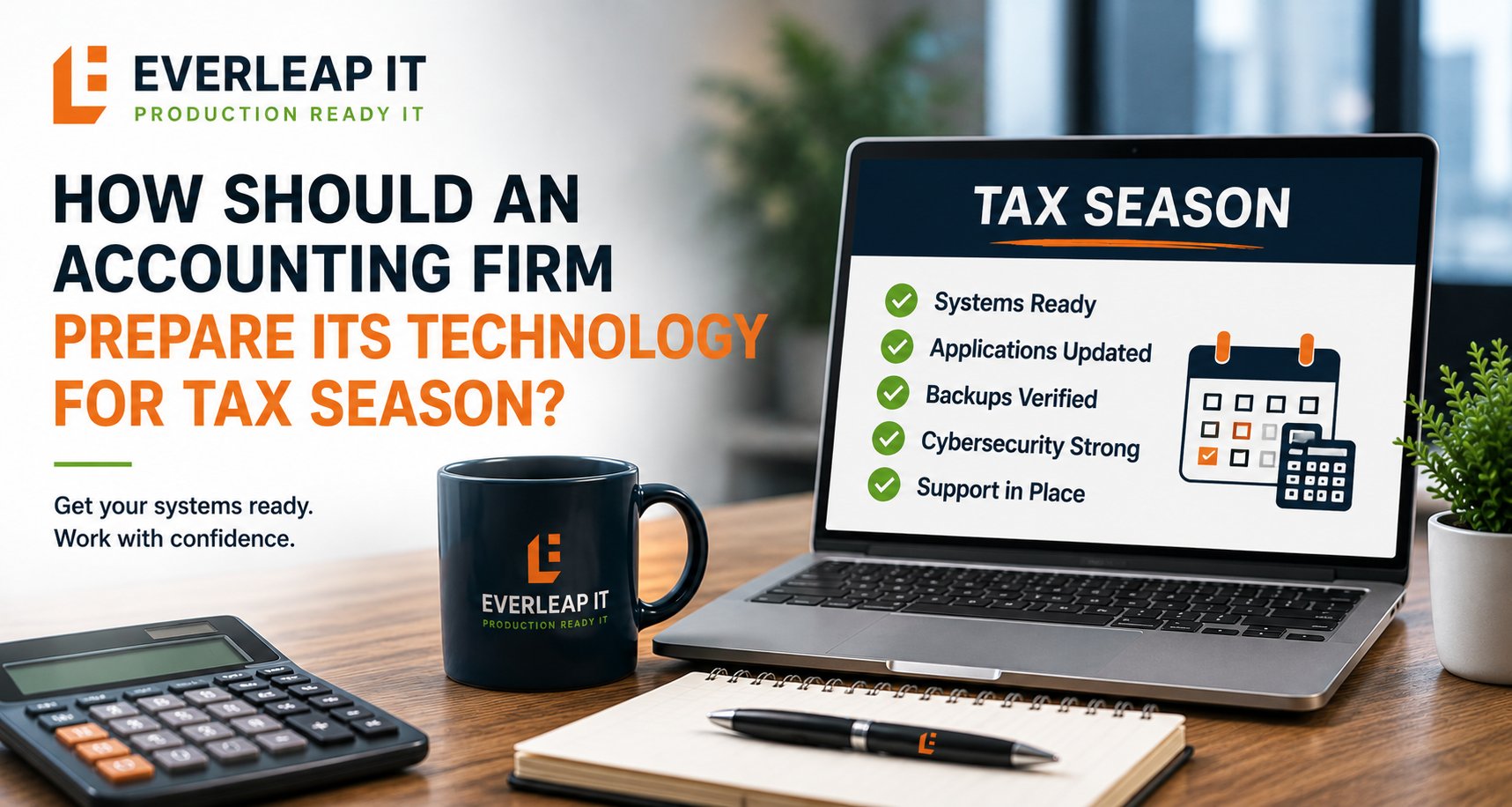
An accounting firm should begin preparing its technology for tax season 60 to 90 days before peak workload begins. A practical readiness review should cover at least seven areas: computers and infrastructure, tax and accounting applications, cybersecurity, backup and recovery, Internet connectivity, user access, and support and escalation procedures.
For a 5 to 25 employee accounting firm, the objective is not to eliminate every possible technology problem. No environment can guarantee that. The objective is to identify foreseeable risks, complete disruptive changes before the busiest weeks of the year, verify that critical systems can recover, and establish clear procedures for problems that may still occur.
Tax season should be treated as a production event with a known deadline, not as the time to discover whether the firm's technology is ready.
Why Technology Preparation Should Begin Before Tax Season
Technology problems are disruptive at any time. During tax season, the same problem can have a much greater operational impact because:
- Employees are working under tighter deadlines.
- Technology utilization may be higher.
- Client activity increases.
- Extended work hours may be required.
- There is less flexibility for maintenance.
- A few hours of downtime can affect multiple employees.
- Vendors may also be experiencing peak support demand.
A computer replacement that is inconvenient in September can become significantly more disruptive in March. The same applies to a firewall upgrade, server problem, application issue, Internet outage, failed backup, or employee access problem. Preparation should therefore focus on one central question:
What can we identify, test, repair, replace, or document before the firm enters its busiest period?
A seven-part framework can help.
1. Review Computers and Infrastructure
Start with the equipment employees depend on every day. Review:
- Employee computers
- Servers
- Firewalls
- Network switches
- Wireless access points
- UPS equipment
- Backup appliances
- Printers and scanners where operationally important
The goal is not to replace everything that is old. The goal is to identify equipment that presents unnecessary risk during a period when failure would be especially disruptive. A documented hardware lifecycle plan can help the firm identify aging computers and infrastructure early enough to schedule replacements before tax season.
Identify Workstations That Need Attention
Review employee computers for issues such as:
- Poor performance
- Recurring crashes
- Insufficient storage
- Unsupported operating systems
- Aging hardware
- Warranty expiration
- Known hardware problems
If a workstation is already creating recurring problems in November or December, waiting until tax season to address it adds avoidable risk. For a firm with 20 workstations, even two unreliable computers represent 10 percent of the employee workstation fleet. Those problems should be addressed before workloads peak.
Review Servers and Network Equipment
Servers, firewalls, switches, and other infrastructure should also be evaluated. Questions include:
- Is the equipment under warranty or support?
- Is capacity sufficient?
- Are firmware and software appropriately maintained?
- Are there recurring alerts?
- Is storage becoming constrained?
- Is replacement already planned?
- Is any critical device approaching end of support?
Known infrastructure concerns should be addressed before the firm's change tolerance decreases.
2. Verify Tax and Accounting Applications
Accounting firms rely on applications that may receive significant updates before or during tax season. Review critical applications such as:
- Tax preparation software
- Accounting software
- Practice management
- Document management
- Client portals
- Electronic signature platforms
- Workflow applications
The IT provider and firm leadership should understand upcoming vendor requirements before changes become urgent.
Confirm System Requirements Before Upgrades
A new application version may require:
- A newer operating system
- Additional memory
- More server capacity
- Updated database software
- New workstation components
- Licensing changes
- Application integrations
The time to discover those requirements is before deployment. If a major tax application release is expected, review the vendor's requirements and compare them with the current environment.
Test Critical Workflows
Opening the application successfully does not necessarily mean the entire workflow is ready. Depending on the firm, testing may include:
- Signing into the application.
- Opening representative client files.
- Printing or creating PDFs.
- Accessing document management.
- Testing client portals.
- Confirming integrations.
- Verifying remote access where applicable.
The purpose is to test how employees actually use the technology.
3. Strengthen Cybersecurity Before Activity Increases
Tax season can create conditions that make security discipline more difficult. Employees are busy. Emails arrive rapidly. Clients send documents. Deadlines create urgency. Attackers can take advantage of that urgency through phishing, credential theft, fraudulent requests, and other social engineering. Before tax season, review the firm's cybersecurity controls and verify that important protections are properly implemented and functioning, including:
- Multi-Factor Authentication
- Microsoft Entra ID
- Conditional Access
- Endpoint protection
- Email security
- Encryption
- Patch management
- Administrative-access controls
- Security awareness training
- Password management
- Backup protection
Review User and Administrative Access
Pay particular attention to privileged access. Ask:
- Who has administrative rights?
- Are those rights still required?
- Are shared accounts being used?
- Are former employees fully removed?
- Are temporary accounts still active?
- Is MFA enforced appropriately?
- Are administrative accounts protected differently from normal user accounts?
The objective is to reduce unnecessary access before the firm enters a period of increased activity.
Reinforce Employee Awareness
Security awareness should also address situations employees may encounter during tax season. Examples include:
- Unexpected file-sharing messages
- Fake Microsoft 365 login pages
- Fraudulent client requests
- Password-reset scams
- Suspicious attachments
- Payment or banking-change requests
A short reminder immediately before peak season can reinforce the behaviors employees already learned during formal training.
4. Verify Backups and Test Recovery
A successful backup notification does not prove that the firm can recover from an outage. That is why an accounting firm should periodically test its backups and disaster recovery plan, including before periods when downtime would be especially disruptive. Before tax season, confirm:
- Critical systems are being backed up.
- Backup jobs are completing.
- Retention is appropriate.
- Backup capacity is sufficient.
- Offsite or cloud copies are available where required.
- Microsoft 365 data is protected where appropriate.
- Failed jobs are being investigated.
- Recovery procedures are documented.
- Recovery testing has been completed.
Know the Firm's Recovery Objectives
Leadership should understand two basic measures.
Recovery Time Objective (RTO): How quickly does a critical system need to return?
Recovery Point Objective (RPO): How much recent data can the firm tolerate losing?
Those requirements should reflect business needs. For example, if leadership expects a critical system to be restored within a few hours, the technology and recovery process must be designed to support that expectation.
Perform a Recovery Test Before Peak Season
Testing does not necessarily require shutting down production systems. Depending on the technology, the IT provider may be able to:
- Restore sample files.
- Verify backup images.
- Test virtual recovery.
- Validate cloud recovery.
- Review documented recovery procedures.
- Confirm required credentials and vendor contacts.
The key question is: If something fails during tax season, have we verified the recovery process before we need it?
5. Prepare for an Internet Outage
For a cloud-dependent accounting firm, Internet connectivity may be as operationally important as electricity. Microsoft 365, cloud tax applications, client portals, VoIP, document management, remote access, and other services may depend on connectivity. The firm should also have a documented plan for what to do when the Internet goes down, rather than determining its response during an outage. Before tax season, ask:
- What happens if the primary Internet connection fails?
- Is there a secondary connection?
- Is cellular or 5G failover available?
- Does failover happen automatically?
- Has it been tested?
- Which systems will continue working?
- Who contacts the Internet provider?
- How will employees communicate?
Test Failover Rather Than Assuming It Works
A backup Internet connection that was installed two years ago is not necessarily ready today. Configurations change. Equipment changes. Cellular services change. Credentials expire. A practical readiness review should confirm that the failover method still functions. The firm should also understand its limitations. A backup connection may support email and cloud applications but not provide enough bandwidth for every employee to work exactly as normal. That can still be useful if leadership knows what to expect.
6. Review Employee Access and Staffing Changes
User access should be reviewed before the busy period begins. This is particularly important if the firm hires:
- Seasonal employees
- Interns
- Temporary staff
- New full-time employees
New employees may require:
- Computers
- Microsoft 365 accounts
- Application licenses
- Security tools
- Document access
- Client portal access
- Remote access
- Phone services
- MFA enrollment
Waiting until someone's first morning to begin this work can create unnecessary delays.
Use a Standard Onboarding Process
For each new employee, establish:
What technology do they need?
What systems should they access?
Who approves that access?
When should the account become active?
A defined IT onboarding and offboarding process helps reduce productivity delays for new and seasonal employees while also limiting unnecessary access when employees leave or change roles.
Review Departed and Changed Users
Tax-season preparation is also an opportunity to review:
- Former employees
- Dormant accounts
- Temporary accounts
- Employees who changed roles
- Administrative privileges
- Shared access
The objective is simple: The right people should have the right access when they need it, and unnecessary access should be removed.
7. Establish Support and Escalation Procedures
Even a well-prepared environment can experience problems. Preparation should therefore include what happens when something goes wrong. Employees should know:
- How to request IT support
- How to report an urgent issue
- What information to provide
- How after-hours support works
- What to do during a widespread outage
- Who communicates with leadership
The IT provider should also understand which systems the firm considers business-critical.
Define What Constitutes a Critical Issue
A single employee forgetting a password is different from 15 employees losing access to the tax application. A practical escalation framework might distinguish among:
Individual issue: One employee is affected.
Department issue: Multiple employees or a business function is affected.
Critical outage: A business-critical system or most of the firm is unable to operate.
The exact definitions can vary. What matters is that employees and the IT provider have a shared understanding of priority.
Confirm After-Hours Procedures
If employees work evenings or weekends during tax season, confirm what IT support is available during those periods. Ask:
- How is after-hours support requested?
- Which issues qualify as urgent?
- Who receives the escalation?
- How will leadership be notified?
- Are there additional charges?
These questions are much easier to answer before an outage occurs. They are also among the practical questions an accounting firm should ask before hiring an IT provider, particularly when extended tax-season hours make support availability and escalation especially important.
When Should Tax-Season Technology Changes Stop?
As peak season approaches, firms should become increasingly cautious about nonessential changes. Major upgrades and migrations introduce risk even when they are well planned. Examples include:
- Server migrations
- Firewall replacements
- Major network redesigns
- Microsoft 365 migrations
- Application platform changes
- Large workstation refreshes
When possible, complete significant projects early enough to allow time for stabilization and troubleshooting.
Consider a Change Freeze
A firm may choose to establish a change freeze during its most critical weeks. That does not mean no changes can occur. Security patches, emergency repairs, and critical vendor updates may still be necessary. The principle is to avoid optional changes that introduce unnecessary operational risk. A practical approach might be:
60-90 days before peak season: Complete major projects and lifecycle replacements.
30-60 days before peak season: Test systems, recovery, connectivity, and workflows.
Final 30 days: Resolve remaining issues and minimize nonessential changes.
The exact timing should reflect the firm's applications, deadlines, and environment.
Example: Preparing a 20-Person Accounting Firm for Tax Season
Consider a 20-person accounting firm beginning its readiness review in November. The review identifies:
- Three aging computers with recurring performance problems.
- A firewall renewal due in January.
- Backup storage approaching capacity.
- Four seasonal employees starting in January.
- A new version of the tax application requiring additional server resources.
- Internet failover that has not been tested in 18 months.
None of these issues have caused an outage. Yet each represents a foreseeable risk. The firm creates a plan:
November: Replace the three workstations and confirm tax application requirements.
Early December: Increase backup capacity and complete recovery testing.
Mid-December: Test Internet failover and renew firewall licensing.
Late December: Prepare accounts, computers, MFA, and application access for seasonal employees.
January: Validate workflows and minimize nonessential technology changes.
The result is not a guarantee of a problem-free tax season. It is a reduction in avoidable uncertainty. That is what readiness planning is designed to accomplish.
A 15-Point Tax-Season Technology Readiness Checklist
Before peak season begins, accounting firm leadership should be able to answer yes to these questions:
- Have ageing or unreliable employee computers been identified?
- Are critical servers and network devices supported and appropriately maintained?
- Have upcoming tax and accounting application requirements been reviewed?
- Have critical application workflows been tested?
- Is Multi-Factor Authentication appropriately implemented?
- Have administrative and employee access rights been reviewed?
- Are endpoint and email security controls functioning?
- Are critical systems being backed up successfully?
- Has recovery been tested?
- Are recovery expectations understood by leadership?
- Has Internet failover been tested where applicable?
- Are seasonal and new employee technology needs prepared in advance?
- Have former and unnecessary accounts been removed?
- Do employees understand how to request urgent support?
- Have nonessential technology changes been minimized before peak season?
If several answers are no, those items provide a practical starting point for readiness planning.
Tax-Season Readiness Is More Than an IT Checklist
A checklist is useful, but readiness is ultimately an operating discipline. The question is not simply whether each technology component is working today. It is whether the firm has addressed the conditions that could affect production during its busiest period. That includes:
Reliability: Are critical systems stable and supported?
Capacity: Can the environment handle expected workloads?
Security: Are appropriate controls in place?
Recoverability: Can critical systems and data be restored?
Connectivity: Can the firm respond to an Internet outage?
Access: Can employees get the resources they need without unnecessary privileges?
Support: Does everyone know what happens when a problem occurs?
Together, those areas provide a more useful view of tax-season readiness than simply asking whether the computers are working.
How Everleap IT Approaches Tax-Season Readiness
Everleap IT's approach has been shaped by more than 20 years of operating production hosting environments, where high-demand periods require preparation before the demand arrives. For accounting firms, that operational mindset can be applied through:
- Proactive monitoring
- Cybersecurity
- Hardware lifecycle management
- Backup and recovery
- Recovery testing
- Microsoft 365 administration
- Capacity planning
- Internet resiliency
- Documentation
- Strategic technology planning
- Production Readiness assessments
The objective is not to wait for tax season to reveal weaknesses. It is to identify and address foreseeable risks while the firm still has time and flexibility to act.
Is Your Accounting Firm Ready for Tax Season?
Start the technology readiness process 60 to 90 days before peak workload begins.
Review the seven areas:
- Computers and infrastructure
- Tax and accounting applications
- Cybersecurity
- Backup and recovery
- Internet connectivity
- Employee access
- Support and escalation
Then prioritize the issues that could have the greatest operational impact.
Everleap IT helps accounting firms throughout California's Inland Empire, including Rancho Cucamonga, Chino, Claremont, and nearby communities, prepare business-critical technology for demanding operating periods through proactive monitoring, cybersecurity, lifecycle management, recovery readiness, capacity planning, strategic planning, and Production Readiness assessments.
If your accounting firm wants greater confidence going into tax season, a technology readiness assessment can help identify operational risks, prioritize improvements, and determine which issues should be addressed before the firm's busiest weeks begin. We are always here to chat about your IT needs and set up a technology assessment.