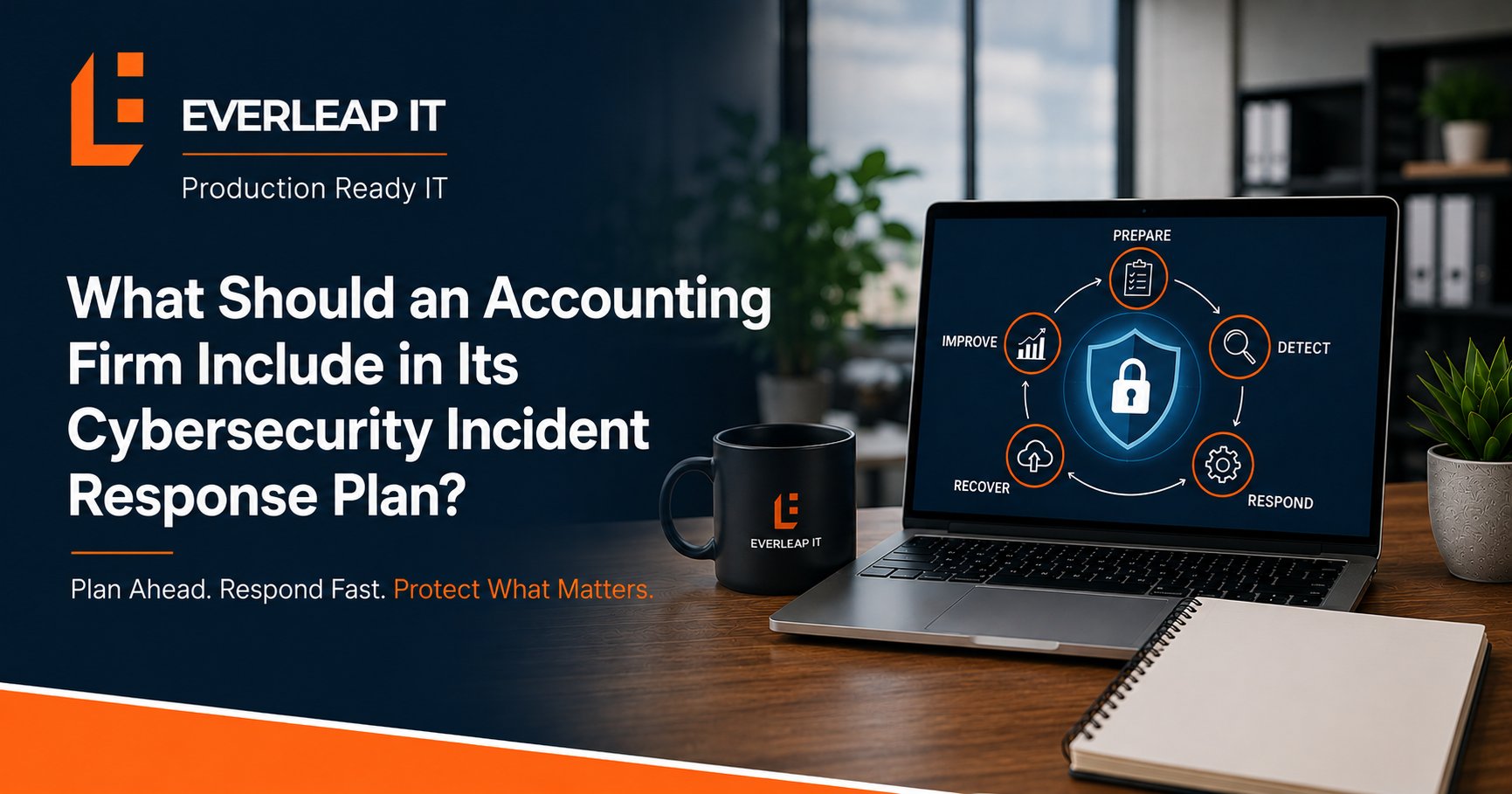
An accounting firm's cybersecurity incident response plan should define what happens before, during, and after a security incident, including who has authority to make decisions, how employees report suspicious activity, how affected systems are contained, how evidence is preserved, how recovery is prioritized, and when legal counsel, cyber insurance, or other outside resources should be involved.
For a 5 to 25 employee accounting firm, a practical incident response plan should address at least eight areas: roles and contacts, incident reporting, classification, containment, evidence preservation, communication, recovery, and post-incident improvement.
The objective is not to predict every cybersecurity incident. It is to make sure the firm does not have to invent its response while an incident is already disrupting the business.
Why Does an Accounting Firm Need an Incident Response Plan?
Accounting firms depend on systems containing sensitive business and client information. Those systems may include:
- Microsoft 365
- Tax applications
- Accounting software
- Document management
- Client portals
- File storage
- Employee computers
- Servers
- Cloud applications
- Backup systems
A cybersecurity incident affecting one of these systems can quickly become more than a technical problem. Leadership may need to make decisions involving business operations, clients, employees, insurance, legal counsel, vendors, and potentially other outside parties.
Consider a compromised Microsoft 365 account. Within the first hour, the firm may need to determine: Is the account still compromised? Were emails sent from it? Were files accessed? Should the account be disabled? Are other users affected? Who needs to be notified internally? Should cyber insurance or legal counsel be contacted?
Those are difficult questions to coordinate for the first time during an active incident. An incident response plan establishes the framework in advance, while a documented process for what an accounting firm should do after a cybersecurity incident helps turn that preparation into coordinated action when an event actually occurs.
1. Define the Incident Response Team and Responsibilities
The plan should begin with people, not technology. Identify who needs to participate when an incident occurs. For a smaller accounting firm, the response team might include:
- Managing partner or firm leadership
- Office administrator or operations leader
- IT provider
- Cybersecurity resources
- Legal counsel
- Cyber insurance contacts
- Communications resources where appropriate
Not every person needs to participate in every incident. The plan should establish who has responsibility for different decisions.
Identify the Internal Decision Maker
Someone should have authority to make operational decisions during an incident. For example: Who can authorize taking a critical system offline? Who can approve emergency expenditures? Who decides whether employees should stop using a system? Who coordinates communication with firm leadership?
If the managing partner is unavailable, the plan should identify an alternate. A response can lose valuable time if everyone knows there is a problem but nobody knows who has authority to act.
Define the IT Provider's Role
The plan should also clarify what the IT provider is expected to do. Responsibilities might include:
- Technical containment
- Account remediation
- Log preservation
- Security investigation
- System recovery
- Backup restoration
- Vendor coordination
- Technical documentation
However, an IT provider should not automatically be expected to make legal, insurance, regulatory, or client-notification decisions. Those responsibilities need appropriate ownership.
2. Establish How Employees Report a Suspected Incident
Employees are often the first people to notice unusual activity. Examples include:
- Unexpected MFA prompts
- Suspicious emails
- Unusual login notifications
- Messages they did not send
- Missing or encrypted files
- Unexpected password changes
- Security warnings
- Strange computer behavior
- Lost or stolen devices
Employees should know exactly what to do. A simple procedure can be:
Stop. Report. Wait for instructions.
Create More Than One Reporting Method
Do not assume employees will always be able to send an email or submit an IT ticket. If Microsoft 365 is affected, normal communication methods may not be trustworthy or available. The plan should provide alternative contact methods such as:
- Phone
- Text
- Emergency support number
- Alternate communication platform
Employees should know where to find those instructions.
Tell Employees What Not to Do
Employees should generally avoid attempting their own investigation. Depending on the situation, actions such as deleting suspicious messages, restarting systems, changing configurations, or repeatedly interacting with suspicious content can complicate the response. The plan should tell employees to report what they observed and follow instructions from the designated response team.
3. Define How Incidents Will Be Classified
Not every security event requires the same response. A blocked phishing email is different from a compromised administrator account. The incident response plan should establish a simple classification framework. For example:
Level 1: Suspicious Event
Examples might include:
- A suspicious email
- An isolated security alert
- An unexpected MFA prompt with no evidence of compromise
The event requires investigation but has not yet been confirmed as an incident.
Level 2: Confirmed Security Incident
Examples might include:
- A compromised employee account
- Malware on one workstation
- Unauthorized mailbox activity
- A lost device containing business information
The incident requires containment and investigation.
Level 3: Critical Security Incident
Examples might include:
- Ransomware
- Compromised administrative accounts
- Multiple affected users
- Significant business interruption
- Suspected unauthorized access to sensitive information
- A widespread Microsoft 365 compromise
A critical incident may require immediate leadership, insurance, legal, forensic, and recovery involvement.
The exact categories can vary. The important point is that the firm has a shared way to determine who needs to become involved and how quickly.
4. Document the Initial Containment Process
Once an incident is confirmed, the response team needs to limit additional damage. Depending on the incident, containment might include:
- Isolating a workstation
- Disabling a user account
- Revoking active sessions
- Blocking malicious email
- Restricting remote access
- Disabling compromised administrative accounts
- Isolating servers
- Blocking malicious network traffic
For account-based incidents, the firm's identity and access security practices can directly affect how quickly compromised credentials, active sessions, and excessive administrative privileges can be contained.
The incident response plan should not attempt to prescribe the exact technical fix for every possible attack. Instead, it should define who is authorized to perform containment and how those decisions are communicated.
Avoid Uncoordinated Remediation
During an incident, there can be pressure to immediately "fix" everything. That can create additional problems. For example, rebuilding a computer before preserving relevant information could eliminate useful evidence. Changing configurations across the environment before understanding the scope could make it more difficult to determine what happened.
The first objective is: Contain the threat.
The second is: Understand the incident.
Then the firm can make informed remediation and recovery decisions.
5. Define How Evidence and the Incident Timeline Will Be Preserved
An incident response plan should require documentation from the beginning. Relevant information may include:
- Security logs
- Microsoft 365 sign-in activity
- Endpoint alerts
- Firewall logs
- Email headers
- Screenshots
- Suspicious messages
- Administrative activity
- File activity
- Backup logs
- Employee observations
The response team should also maintain an incident timeline.
What Should the Timeline Record?
At minimum, record:
- When the incident was discovered
- Who reported it
- What was initially observed
- Which accounts or systems were involved
- What containment actions were taken
- When those actions occurred
- Who was notified
- What additional evidence was discovered
- When recovery actions began
The timeline helps create a common record when several people are working on the incident simultaneously. It may also become useful for insurance, legal review, forensic investigation, and the post-incident review. Incident-response information should also be incorporated into the broader IT documentation an accounting firm maintains, so contacts, systems, responsibilities, recovery references, and escalation procedures remain current and accessible.
6. Establish a Communication and Escalation Plan
Technical response is only part of incident management. The firm also needs to control how information moves.
The plan should define: Who updates leadership? Who communicates with employees? Who contacts the cyber insurance carrier? Who coordinates with legal counsel? Who communicates with clients if communication becomes necessary? Who manages vendors?
Separate Facts From Assumptions
Early information during a cybersecurity incident is often incomplete. For example: "An unauthorized account accessed a folder containing client files." does not necessarily mean: "All client files were stolen." The first may be supported by evidence. The second may still be under investigation. Incident communications should distinguish among:
Confirmed facts. Current working conclusions. Questions still under investigation
This is especially important when leadership is deciding what information should be communicated outside the response team.
Include Cyber Insurance and Legal Contacts
The plan should contain current contact information for relevant outside resources. Cyber insurance policies may establish procedures involving:
- Incident hotlines
- Approved legal counsel
- Approved forensic firms
- Notification procedures
- Authorization requirements
Because cyber insurance requirements for small businesses can affect incident reporting, approved resources, and response procedures, the firm should understand its policy requirements before an incident occurs. Legal counsel can advise the firm regarding legal obligations and notification decisions based on the circumstances. The IT provider's role is to provide technical facts and support the technical response, not independently make legal determinations.
7. Define Recovery Priorities Before an Incident
Once the threat has been contained and the affected environment is understood, the firm may begin restoring operations. The incident response plan should identify the firm's most important technology. For an accounting firm, recovery priorities might include:
- Identity and authentication
- Internet and network services
- Microsoft 365
- Tax and accounting applications
- Document management
- Client portals
- Other business applications
The exact sequence depends on the firm's environment. Those priorities should also align with the firm's broader IT disaster recovery plan, including the systems, recovery procedures, responsibilities, and dependencies required to restore operations.
Define RTO and RPO for Critical Systems
Two useful recovery measures are:
Recovery Time Objective (RTO): How quickly does the system need to return?
Recovery Point Objective (RPO): How much recent data can the firm tolerate losing?
Leadership does not need to become expert in recovery terminology. It does need realistic expectations. If leadership expects a tax application to be available within four hours following a serious outage, the technology and recovery process must be capable of supporting that expectation. Those expectations should also be validated through backup and disaster recovery testing, because a documented recovery target does not demonstrate that the firm can actually restore the system within that timeframe.
Do Not Confuse Recovery With Speed Alone
The fastest recovery is not always the safest recovery. Before returning affected systems to production, verify:
- The original threat has been addressed.
- Compromised credentials have been remediated.
- Appropriate security controls are active.
- Restored data is valid.
- Applications function correctly.
- Required monitoring is operating.
A system that returns quickly but remains compromised is not successfully recovered.
8. Require a Post-Incident Review and Corrective Action Plan
The incident response process should not end when employees can work again. Within a reasonable period after the incident, conduct a structured review. Ask:
What happened? How was it detected? What allowed it to happen? What worked during the response? What caused delays? What information was difficult to obtain? Which controls should change? Which processes should change? Assign Corrective Actions
Findings should become specific tasks. For example:
|
Finding |
Corrective Action |
Owner |
Target |
|---|---|---|---|
|
Excessive administrator access |
Review and reduce privileged accounts |
IT |
30 days |
|
Employees unsure how to report suspicious MFA prompts |
Update security training and reporting procedure |
Operations / IT |
30 days |
|
Recovery documentation outdated |
Update and validate recovery procedures |
IT |
45 days |
|
Cyber insurance contacts difficult to locate |
Add current contacts to incident plan |
Operations |
7 days |
The specific timelines should reflect the severity and complexity of each finding. The important point is that every significant improvement has an owner and a target date. Without accountability, lessons learned during the incident can disappear once normal work resumes.
What Information Should Be Included in the Written Incident Response Plan?
For a 5 to 25 employee accounting firm, the document does not need to become a 100-page manual. It should be detailed enough that someone can use it during a stressful event. A practical plan should include:
- Purpose and scope
- Incident-response team and alternates
- Internal contact information
- IT provider contact information
- Cyber insurance information
- Legal and forensic contacts where established
- Employee reporting procedures
- Incident classification
- Containment authority
- Evidence-preservation procedures
- Communication responsibilities
- Critical-system priorities
- Backup and recovery references
- Alternative communication methods
- Post-incident review process
Keep the plan somewhere that remains accessible if normal IT systems are unavailable. A plan stored only inside a system affected by the incident may be difficult to use when it matters most.
Example: Building an Incident Response Plan for a 20-Person Accounting Firm
Consider a 20-person accounting firm that relies on Microsoft 365, cloud tax applications, document management, and a local file server. The firm has cybersecurity tools and backups but no formal incident response plan.
Leadership asks: What happens if an employee's Microsoft 365 account is compromised at 7:30 AM during tax season?
The answer is unclear.
The firm creates an eight-part response framework.
Roles
The managing partner becomes the primary internal decision maker, with another partner designated as backup. The MSP owns technical containment and recovery. Legal counsel and cyber insurance contacts are documented for situations requiring their involvement.
Reporting
Employees receive an IT emergency number and instructions for reporting suspicious MFA prompts, unexpected login alerts, and unusual email activity.
Classification
A suspicious MFA prompt starts as a security event. Evidence of unauthorized access escalates it to a confirmed incident. Evidence involving administrative access, multiple accounts, or significant operational impact triggers critical escalation.
Containment
The MSP is authorized to take defined immediate technical actions to protect the environment while notifying designated leadership.
Evidence
Microsoft 365 logs, endpoint alerts, email information, and the response timeline are preserved.
Communication
Leadership receives updates based on confirmed facts. Legal and insurance resources are engaged when appropriate.
Recovery
Microsoft 365 identity and authentication are prioritized, followed by validation of other affected systems and employee access.
Improvement
Following the incident, findings are assigned to specific owners with completion dates.
The plan does not predict exactly what the attacker will do. It establishes who does what, in what general sequence, and how decisions are escalated. That is what makes it useful.
How Often Should an Accounting Firm Review Its Incident Response Plan?
At minimum, the firm should review the plan annually and whenever significant changes occur. Examples of changes that should trigger review include:
- A new IT provider
- A change in cyber insurance
- New leadership
- New office locations
- Major infrastructure changes
- New critical applications
- Changes to backup or recovery systems
- Changes to legal or forensic contacts
- A cybersecurity incident
Contact information should be checked more frequently if personnel or vendors change regularly.
Test the Plan With a Tabletop Exercise
A plan that has never been used can contain assumptions nobody notices. A simple tabletop exercise can test it without disrupting production. For example:
It is 8:15 AM on March 10. Three employees report that files are inaccessible, and one workstation displays a ransomware message. What happens during the next 30 minutes?
Walk through:
Who receives the first call?
Who has authority to isolate systems?
How does leadership communicate if Microsoft 365 becomes unavailable?
Who contacts cyber insurance?
Where are recovery procedures located?
Which systems are restored first?
The exercise can reveal missing contacts, unclear responsibilities, inaccessible documentation, or unrealistic assumptions before a real incident does.
Incident Response Planning Is Part of Production Readiness
Cybersecurity is often discussed primarily in terms of prevention. Prevention matters. Accounting firms should implement appropriate cybersecurity controls designed to reduce the likelihood and impact of an attack, particularly before periods such as tax season when technology availability and access to client information can become especially important. But no security program can reasonably assume that every attack will always be prevented. A production-ready approach asks two questions: How are we reducing the likelihood of an incident? and How prepared are we to respond if prevention does not succeed?
The incident response plan addresses the second question.
How Everleap IT Approaches Cybersecurity Incident Readiness
Everleap IT's approach has been shaped by more than 20 years of operating production hosting environments, where incidents require defined responsibilities, monitoring, escalation, documentation, recovery, and disciplined communication.
For accounting firms, those operating principles can be applied through:
- Cybersecurity
- Microsoft 365 security
- Identity and access management
- Proactive monitoring
- Backup and recovery
- Recovery testing
- IT documentation
- Incident response planning
- Strategic technology reviews
- Production Readiness assessments
The objective is not to create a document that sits unused in a folder. It is to create a response process that leadership, employees, and technical resources can actually follow when the firm is under pressure.
Is Your Accounting Firm Prepared to Respond to a Cybersecurity Incident?
Start with eight questions:
- Who leads the response?
- How do employees report an incident?
- How is severity determined?
- Who can authorize containment?
- How will evidence and the incident timeline be preserved?
- Who manages internal and external communication?
- Which systems must be recovered first?
- How will lessons from the incident become corrective actions?
If several of those answers are unclear, the firm may have security tools but still lack a complete incident response capability.
Everleap IT helps accounting firms throughout California's Inland Empire, including Rancho Cucamonga, Upland, Ontario, Chino and nearby communities, protect and operate business-critical technology through cybersecurity, proactive monitoring, identity management, backup and recovery, documentation, strategic planning, and Production Readiness assessments.
If your accounting firm wants to improve its cybersecurity incident readiness, a technology assessment can help identify gaps in responsibilities, documentation, security controls, recovery capabilities, and response procedures before those capabilities are needed during an actual incident. Get in touch to evaluate your IT systems and book an assessment.